


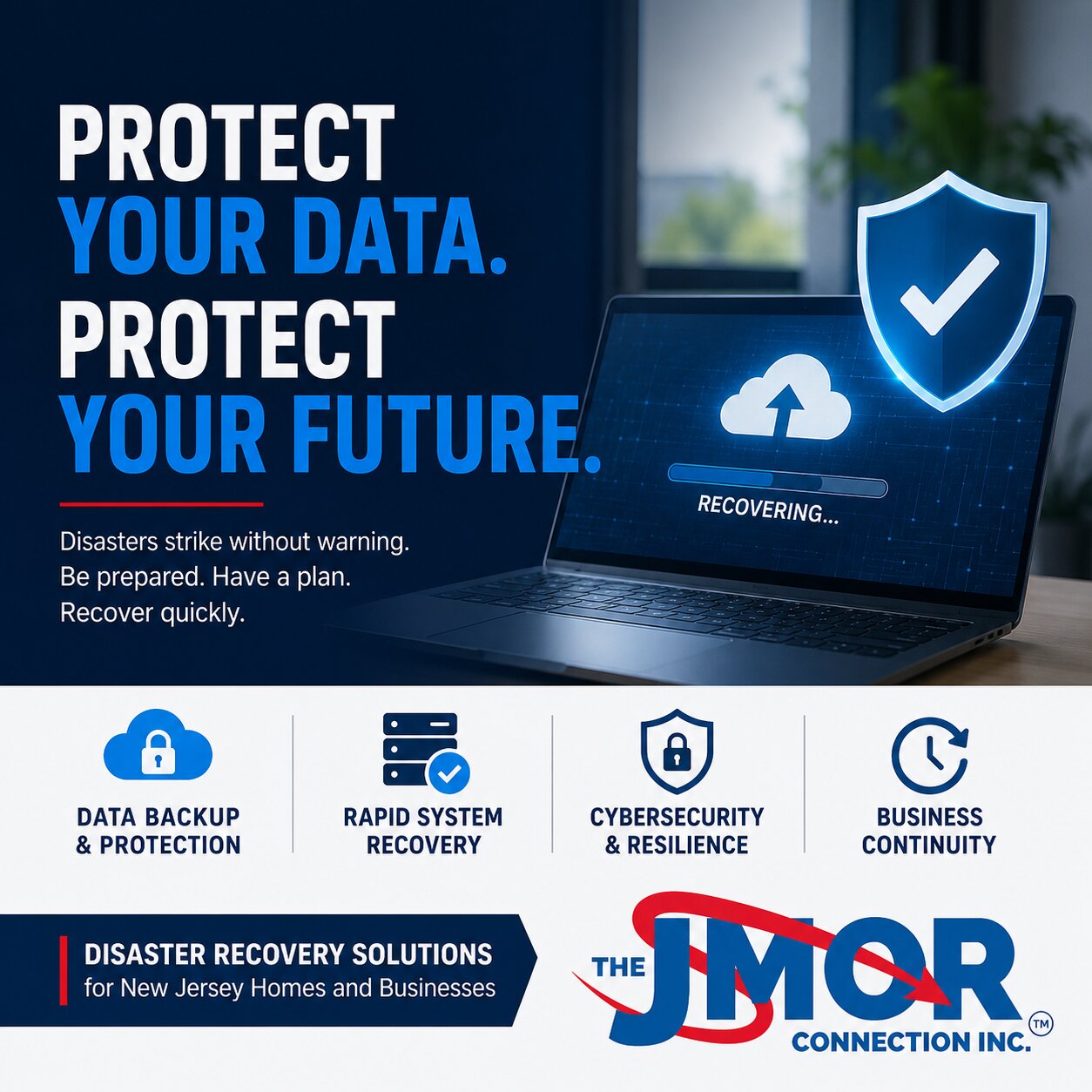
Why Every New Jersey Home and Business Needs a Disaster Recovery Plan
Technology has become an essential part of daily life. Whether you own a business, work from home, manage a growing family, or operate a professional office, your computers, network, internet connection, cloud services, and digital information are critical to keeping everything running smoothly.
Unfortunately, many people assume disaster recovery is something only large corporations need. That couldn't be further from the truth.
Disasters come in many forms. Some are natural. Hardware failures, cybercriminals, accidental deletion, power outages, human error, or equipment theft cause others. Regardless of the cause, the result is often the same. Valuable data is lost, productivity stalls, and recovery becomes expensive and stressful.
For homeowners and businesses throughout New Jersey, having a disaster recovery plan is no longer optional. It is one of the smartest investments you can make to protect your digital life and ensure a quick recovery when the unexpected happens.
What Is a Disaster Recovery Plan?
A disaster recovery plan is a documented strategy that explains how technology systems, data, and operations will be restored following an unexpected event.
Many people confuse backups with disaster recovery.
While backups are an important component, they represent only one piece of the overall plan.
A complete disaster recovery strategy addresses:
Data protection
System recovery
Hardware replacement
Cloud services
Communication procedures
Internet connectivity
Remote access
Business continuity
Recovery priorities
Testing and verification
The goal is simple.
Restore normal operations as quickly and efficiently as possible.
Why Disaster Recovery Matters More Than Ever
Technology is now connected to nearly every aspect of our lives.
Families store thousands of digital photographs, financial records, tax documents, legal paperwork, school projects, passwords, and personal memories electronically.
Businesses depend on technology to communicate with customers, process payments, manage accounting, maintain inventory, schedule appointments, collaborate with employees, and protect confidential information.
Without access to these systems, daily life and business operations can quickly come to a halt.
The question is not whether problems will occur.
The question is how prepared you are when they do.
Common Causes of Technology Disasters
Many people imagine floods, fires, or hurricanes when they hear the word disaster.
While natural disasters certainly create significant challenges, most technology disasters are much less dramatic.
Common causes include:
Hard drive failures
Solid-state drive failures
Power surges
Accidental file deletion
Software corruption
Windows update failures
Ransomware attacks
Viruses
Hardware theft
Fire damage
Flooding
Lightning strikes
Internet outages
Cloud synchronization errors
Human mistakes
A single hardware failure can instantly eliminate years of valuable information if no recovery plan exists.
Why Homes Need Disaster Recovery
Homeowners often believe disaster recovery only applies to businesses.
The reality is quite different.
Today's households contain multiple computers, smartphones, tablets, smart televisions, gaming systems, home automation devices, security cameras, and cloud-connected services.
Families rely on technology every day.
Imagine losing:
Family photographs
Videos of your children
Tax records
Financial documents
Legal paperwork
Medical information
School assignments
Personal journals
Passwords
Email archives
Could these items be replaced?
For many families, the answer is no.
Once those memories disappear, they are often gone forever.
A disaster recovery plan helps protect not only your devices but also your most valuable digital memories.
Why Businesses Cannot Operate Without Disaster Recovery
Businesses face even greater challenges.
Technology interruptions can prevent employees from working, delay customer service, disrupt communication, halt financial transactions, and erode customer confidence.
Imagine arriving at work Monday morning and discovering:
Your server has failed.
Your accounting software is unavailable.
Email is offline.
Customer files cannot be accessed.
The phones depend on the network.
Employees have nothing productive they can do.
Every minute of downtime represents lost productivity.
Every hour affects customer satisfaction.
Every day increases financial losses.
Disaster recovery planning minimizes these disruptions by providing a structured recovery process.
Backup Is Not the Same as Disaster Recovery
One of the biggest misconceptions is believing that backups alone provide complete protection.
However, they only answer one question.
Can your data be recovered?
Disaster recovery answers many additional questions.
How quickly can systems be restored?
Who is responsible for recovery?
Which systems receive priority?
Where will employees work?
How will customers be informed?
How will internet access be restored?
How will replacement hardware be obtained?
These questions become critical during an emergency.
Cloud Storage Is Not Always a Backup
Many people assume cloud storage automatically protects everything.
Unfortunately, this assumption creates unnecessary risk.
Cloud services synchronize changes.
If ransomware encrypts files on one device, those files may be synchronized to cloud storage.
If files are accidentally deleted, the deletion may also synchronize.
Cloud services provide tremendous convenience, but they should be part of a broader backup and disaster recovery strategy rather than the only layer of protection.
The Cost of Downtime
Technology downtime affects everyone differently.
For homeowners, downtime may mean losing access to important records or family memories.
For businesses, downtime directly affects revenue.
Employees may be unable to work.
Customers may be unable to place orders.
Appointments may need to be canceled.
Projects may stop.
Deadlines may be missed.
Even a few hours of downtime can become expensive.
Businesses that recover quickly often experience far less disruption than organizations without documented recovery procedures.
Recovery Time Matters
Two businesses may experience the same disaster.
One recovers within two hours.
The other requires five days.
The difference is preparation.
Recovery planning focuses not only on protecting data but also on reducing the amount of time required to resume normal operations.
The faster systems return, the less impact the disaster has on employees, customers, and overall productivity.
Cybersecurity and Disaster Recovery Work Together
Cybersecurity helps prevent many incidents.
Disaster recovery helps minimize the damage when prevention alone is not enough.
The two strategies complement one another.
Cybersecurity reduces the likelihood of successful attacks.
Disaster recovery improves the ability to recover if an attack succeeds.
Businesses should view these strategies as partners rather than separate investments.
Essential Components of a Disaster Recovery Plan
Every recovery plan should include several key elements.
An inventory of hardware and software.
A list of critical business systems.
Backup procedures.
Cloud recovery strategies.
Employee responsibilities.
Vendor contact information.
Emergency communication procedures.
Internet service information.
Password recovery procedures.
Testing schedules.
Without documentation, valuable time may be lost trying to determine what needs to happen next.
Disaster Recovery for Remote Workers
Remote work has become increasingly common throughout New Jersey.
Employees often work from:
Home offices
Hotels
Coffee shops
Client locations
Shared workspaces
Each location introduces additional risks.
A disaster recovery plan should include procedures for remote employees, including secure access methods, cloud recovery procedures, and communication plans.
Testing Is Just as Important as Planning
Creating a recovery plan is only the first step.
Testing it is equally important.
Many organizations discover weaknesses only when an actual emergency occurs.
Regular testing helps verify:
Backups work.
Recovery procedures function correctly.
Employees understand their responsibilities.
Recovery times meet expectations.
Documentation remains current.
Technology changes constantly.
Recovery plans should evolve as systems change.
How Often Should Disaster Recovery Plans Be Reviewed?
At least annually.
However, reviews should also occur after:
Major hardware upgrades
Software migrations
Cloud changes
Office relocations
Staff changes
Network redesigns
Business acquisitions
Technology should never outgrow the recovery plan.
Disaster Recovery for Small Businesses
Small businesses sometimes believe recovery planning is too expensive.
In reality, the cost of not planning is often much higher.
Many affordable solutions now combine cloud backups, local backups, monitoring, automated testing, and rapid recovery.
These solutions provide enterprise-level protection without enterprise-level budgets.
Disaster Recovery for Homeowners
Home users also have excellent options.
Automatic cloud backups.
External backup drives.
Network-attached storage.
Encrypted cloud replication.
Password managers.
Photo backup services.
Simple investments today can prevent devastating losses tomorrow.
Choosing the Right Technology Partner
Developing an effective disaster recovery plan requires experience.
Every home and every business has unique requirements.
An experienced technology partner can help identify vulnerabilities, recommend appropriate backup strategies, implement reliable recovery solutions, and ensure systems remain protected as technology evolves.
Rather than reacting after a disaster occurs, proactive planning provides confidence that critical information can be restored quickly when it matters most.
The Long-Term Value of Disaster Recovery
Disaster recovery is about far more than recovering files.
It protects memories.
It protects businesses.
It protects customer relationships.
It protects productivity.
It protects reputations.
Most importantly, it protects peace of mind.
Knowing your information can be recovered allows you to focus on living your life or growing your business instead of worrying about what might happen if technology fails.
Real World Disaster Recovery Scenarios
It is easy to assume disaster recovery planning is something you will deal with when the time comes. Unfortunately, emergencies rarely provide advance notice. Most technology disasters happen without warning and often at the worst possible time.
The following examples demonstrate how a disaster recovery plan can make the difference between a minor inconvenience and a major crisis.
Scenario One: The Failed Hard Drive
A small accounting office begins preparing tax returns during one of its busiest weeks of the year. One morning, an employee powers on the primary workstation only to discover the hard drive has failed.
Without a current backup, years of tax records, financial spreadsheets, client correspondence, and accounting files may be permanently lost.
With a properly designed disaster recovery plan, replacement hardware is installed, data is restored from verified backups, and employees resume working with minimal disruption.
The difference between the two situations is preparation.
Scenario Two: Ransomware Attack
An employee receives what appears to be a legitimate invoice from a supplier.
After opening the attachment, ransomware begins encrypting files across the network.
Within minutes, employees lose access to shared folders, accounting information, project files, and customer records.
Organizations without reliable backups may face impossible decisions.
Should they pay the ransom?
Can the files be recovered?
How long will recovery take?
Organizations with tested disaster recovery procedures disconnect infected systems, restore clean backups, verify network security, and return to normal operations significantly faster.
Scenario Three: Power Failure
Strong storms move through northern New Jersey, causing extended power outages.
Computers shut down unexpectedly.
Servers lose power.
Network equipment becomes unavailable.
Internet access disappears.
Businesses equipped with battery backup systems, recovery procedures, and cloud services continue operating with minimal interruption.
Others may spend days rebuilding damaged systems.
Scenario Four: Accidental Deletion
Sometimes disasters are caused by simple human mistakes.
An employee accidentally deletes an important customer database.
A homeowner mistakenly removes years of family photographs.
An entire project folder disappears.
Without reliable backups, these files may never be recovered.
Disaster recovery planning assumes mistakes will happen and provides methods for recovering from them quickly.
Scenario Five: Office Fire
Although relatively uncommon, fires remain among the most devastating technological disasters.
Computers, servers, networking equipment, storage devices, and paper records can all be destroyed in minutes.
Businesses that maintain off-site backups and cloud replication often recover far more quickly than organizations whose only copy of important data was located inside the building.
Scenario Six: Water Damage
Flooding from burst pipes, heavy rain, roof leaks, or sprinkler systems can permanently damage computers and other electronic equipment.
Even when hardware survives, moisture often causes long-term reliability problems.
A disaster recovery strategy should always assume hardware may need complete replacement.
Disaster Recovery and Business Continuity
Although the two terms are often used interchangeably, disaster recovery and business continuity are different.
Disaster recovery focuses primarily on restoring technology systems.
Business continuity focuses on keeping the organization operating while recovery takes place.
For example, employees may temporarily work remotely.
Cloud applications may replace local servers.
Alternative communication methods may be used.
Temporary equipment may be deployed.
Together, these strategies help organizations continue serving customers even during unexpected events.
Questions Every Homeowner Should Ask
Many homeowners have never tested their backups.
Consider the following questions.
Where are your family photographs stored?
Are important documents backed up automatically?
If your computer stopped working tonight, how much information would be lost?
Could you restore your files tomorrow?
Do you know your passwords?
Have you tested your backups recently?
If you cannot answer these questions confidently, it may be time to review your disaster recovery strategy.
Questions Every Business Owner Should Ask
Business owners should also evaluate their readiness.
How long could your business operate without computers?
What happens if your internet connection fails?
How quickly can customer information be restored?
Who is responsible for managing recovery?
Are backups monitored automatically?
When were recovery procedures last tested?
How would employees communicate if email became unavailable?
Would customers know how to reach you?
Could your organization continue operating tomorrow if every workstation suddenly stopped working today?
Answering these questions before an emergency occurs allows organizations to identify weaknesses and strengthen their recovery plans.
Disaster Recovery Is an Ongoing Process
Technology changes constantly.
Businesses purchase new computers.
Employees join and leave organizations.
Cloud services evolve.
Applications change.
Cybersecurity threats become more sophisticated.
For this reason, disaster recovery planning should never be viewed as a one-time project.
It should become part of regular technology management.
Organizations should periodically review:
Backup schedules.
Recovery procedures.
Hardware inventories.
Cloud services.
Employee responsibilities.
Vendor contact information.
Emergency communication plans.
Recovery testing results.
Regular reviews help ensure the recovery plan remains accurate as technology evolves.
Preventing Disasters Before They Happen
The best disaster recovery plan is one that hopefully never needs to be fully implemented.
While no technology environment can eliminate every risk, proactive maintenance and monitoring can significantly reduce the likelihood of major disruptions. Many technology failures begin as small issues that go unnoticed until they become much larger problems.
Hard drives often provide warning signs before they fail. Servers may begin reporting hardware errors. Storage devices can run out of available space. Network equipment may show signs of overheating or intermittent failures. Cybersecurity software may detect suspicious activity long before ransomware is deployed.
Organizations that actively monitor their technology environment can address these warning signs before they affect employees, customers, or daily operations.
Preventive maintenance may include:
Regular operating system updates
Security patch management
Hard drive health monitoring
Server performance monitoring
Firewall updates
Backup verification
Network performance analysis
Hardware lifecycle planning
Cybersecurity monitoring
Routine technology assessments
These activities often identify problems while they are still relatively inexpensive to correct.
Waiting until something breaks usually results in greater downtime, higher repair costs, and increased stress.
A proactive technology strategy helps homeowners and businesses avoid many of the situations that eventually require disaster recovery.
Planning for Hardware Replacement
Every computer, server, firewall, switch, wireless access point, and storage device has a limited lifespan.
Many organizations continue using aging equipment long after manufacturers stop supporting it.
Older equipment is generally more likely to fail unexpectedly and may no longer receive important firmware or security updates.
A disaster recovery strategy should include hardware lifecycle planning.
Business owners should know:
Business owners and Home Owners should know:
How old is their critical equipment?
When warranties expire.
Which systems are approaching the end of life?
Which replacement parts remain available?
How quickly can replacement equipment be obtained?
Planning allows organizations to budget for technology improvements rather than reacting to unexpected failures.
For homeowners, replacing an aging computer before it fails can prevent the loss of family photographs, financial information, and important personal documents.
Why Documentation Matters
One of the most overlooked aspects of disaster recovery is documentation.
Imagine trying to rebuild an entire network after a major hardware failure without knowing:
Administrator passwords.
Internet provider information.
Firewall settings.
WiFi passwords.
Server configurations.
Software license keys.
Backup locations.
Cloud account credentials.
Vendor contact information.
Without proper documentation, recovery becomes significantly more difficult.
Maintaining accurate documentation allows technology professionals to restore systems more quickly and reduces unnecessary delays during an emergency.
Businesses should review documentation regularly to ensure it remains current as technology changes.
Disaster Recovery Is an Investment in Confidence
Many people evaluate disaster recovery based solely on cost.
A better question is this:
What would it cost if you could not recover?
For homeowners, that could mean irreplaceable family memories, financial records, legal documents, or years of personal information.
For businesses, it may involve lost revenue, interrupted operations, damaged customer relationships, regulatory concerns, and long-term reputational harm.
Technology continues to play an increasingly important role in both our personal and professional lives.
As our dependence on technology grows, so does the importance of protecting it.
Disaster recovery planning is not about expecting the worst.
It is about being prepared enough that when something unexpected happens, you already know what comes next.
That level of preparation provides confidence, stability, and peace of mind that cannot be measured simply by the cost of hardware or software.
Peace of Mind Is Difficult to Measure Until You Need It
One of the greatest benefits of disaster recovery planning cannot be measured in dollars.
Peace of mind.
Knowing your information is protected changes the way you think about technology.
Instead of worrying about losing everything after a hardware failure or cyberattack, you know there is a documented plan for recovery.
That confidence allows families to enjoy their digital memories without fear and enables business owners to focus on growth rather than constantly worrying about what could go wrong.
The best disaster recovery plans are the ones people rarely think about because they quietly protect homes and businesses every day.
When disaster eventually strikes, they become one of the most valuable technology investments ever made.
Conclusion
Technology failures are inevitable.
Hard drives eventually fail.
Cybercriminals continue developing new attacks.
Power outages occur.
People make mistakes.
Natural disasters happen.
The organizations and families that recover most successfully are rarely the luckiest. They are the ones who planned ahead. Whether you are protecting decades of family photographs or the technology that keeps your business operating every day, a disaster recovery plan provides confidence, resilience, and the ability to recover quickly when the unexpected happens.
For homeowners and businesses throughout New Jersey, disaster recovery is no longer simply an IT consideration.
It is an essential part of protecting your future.
Whether you are protecting your family's memories or keeping your business operating without interruption, having a disaster recovery plan is one of the smartest technology investments you can make.
If you are unsure whether your current backup or disaster recovery strategy is enough, the team at The JMOR Connection, Inc. can help you evaluate your technology, identify potential risks, and recommend solutions designed to keep your home or business protected.