


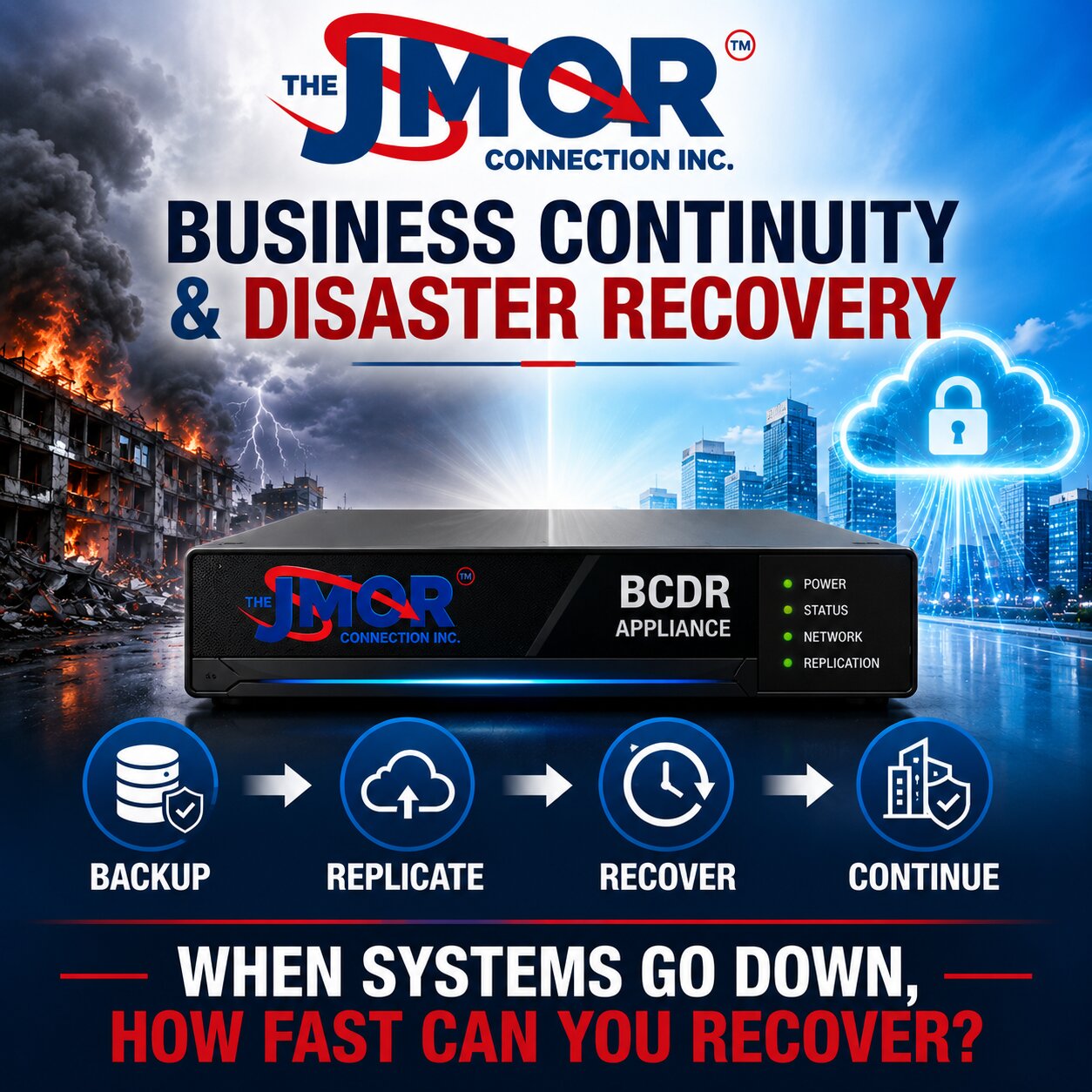
A Backup Is Not Enough: Why Every Business Needs a BCDR Strategy
Whether you operate a small business or manage a large corporation, your ability to access your data and critical systems can determine whether your organization continues operating after a serious disruption. For years, technology companies have stood on proverbial soapboxes telling businesses that they need a good backup, and that advice remains important. Backups are essential, but many organizations have been led to believe that simply having a backup means they are prepared for a disaster. In reality, protecting a modern business requires a much broader strategy that includes endpoint management and protection, appropriate firewalls, documented policies and procedures, tested backups, recovery planning, and a comprehensive Business Continuity and Disaster Recovery strategy.
Business Continuity and Disaster Recovery, commonly abbreviated as BCDR, brings together two closely related but distinct disciplines. Business continuity focuses on how an organization will continue performing essential functions when normal operations are disrupted. In contrast, disaster recovery focuses on restoring the technology, systems, applications, and data necessary to return the organization to normal operation. A backup may be an important component of disaster recovery, but possessing a copy of your files does not automatically mean that your business can recover from an outage, cyberattack, equipment failure, fire, flood, or another serious event.
Having a Backup Does Not Mean You Can Recover
Many businesses today either do not have an adequate backup or have never actually tested whether the backup they possess can restore what they believe it can. Some organizations become shell-shocked during an actual emergency when they discover that although certain files were backed up, they cannot simply restore the operating system, applications, configurations, permissions, databases, and other components required to recreate the environment that existed before the failure.
Consider what happens when a traditional file server experiences a catastrophic hardware failure. Even if the organization's documents have been copied somewhere else, a replacement server may still need to be obtained and configured. The operating system may need to be installed, updates applied, applications reinstalled, user permissions recreated, data restored, network connections reestablished, and numerous configuration issues resolved before employees can resume working normally. What initially sounded like a simple statement of “we have a backup” can quickly become many hours or even days of technical work.
Every hour of that recovery process can have a financial consequence. Employees may be unable to perform their jobs, customers may not receive the level of service they expect, transactions may be delayed, invoices may not be generated, and technical recovery costs may continue to accumulate while normal business operations remain interrupted. This is why organizations need to distinguish between having another copy of their data and having a practical plan for restoring the systems that make that data useful.
A backup essentially answers the question, “Do we have another copy of our information?” BCDR asks the much more important business question: “How quickly can we get the organization functioning again, and what will we do while the normal environment is unavailable?”
Business Continuity Planning Should Begin Before Technology
Before discussing backup appliances, cloud replication, virtualization, or any other technology, every organization, regardless of size, should have some form of documented Business Disaster Recovery Plan. The initial plan does not need to be hundreds of pages, but it should clearly establish the processes to follow when an event prevents the organization from operating normally.
For example, consider something as ordinary as losing electrical power to the building. Which computers, servers, switches, firewalls, telephone systems, and other critical devices are connected to UPS systems? How long will those systems continue operating after utility power disappears? What happens when the batteries are exhausted? Should incoming telephone calls be forwarded to an alternate number? Can employees work remotely? How will employees communicate with management and one another? How will customers contact the organization? How will Internet connectivity be restored if the primary circuit is unavailable?
The same planning process should examine the organization's data. Where are the backups located? How frequently are they performed? How much information could potentially be lost between recovery points? How long would it take to retrieve a single deleted file? More importantly, how long would it take to recover an entire server? Who has the authority to initiate a disaster recovery procedure, and who contacts the technology provider when an emergency occurs? These questions become considerably easier to answer calmly before a disaster than while employees and customers are waiting for systems to come back online.
Business Continuity Extends Beyond Computers and Servers
A comprehensive Business Disaster Recovery Plan should not stop at the server room because business continuity involves much more than protecting computers. The plan should consider telephone systems, Internet connectivity, computers, servers, cloud applications, client services, physical access, communications, and the other dependencies required for the organization to function.
Physical access is a good example of something that can easily be overlooked. If a building loses power, can authorized personnel still enter? Many modern facilities rely on electronically controlled doors, access systems, gates, elevators, and other equipment that assumes electrical power will be available. A business that has carefully protected its servers but cannot physically access the building during an outage has discovered another type of continuity problem.
We encounter a simpler version of this issue in residential environments. A homeowner may arrive home during a power failure and discover that the electric garage door opener no longer operates. If there is no alternate entrance or mechanical way to release the door, something that normally requires almost no thought suddenly becomes a significant problem. Businesses need to do the same kind of analysis on a much larger scale by identifying systems that work so reliably that nobody considers what happens when they stop.
Mentally Rehearse the Disaster Before It Happens
One of the most valuable exercises an organization can do when developing a BCDR strategy requires no sophisticated technology. Gather the appropriate people and begin asking “what if” questions. What if the power fails? What if the Internet connection disappears? What if the primary server fails? What if ransomware affects critical systems? What if the building becomes inaccessible? What if the telephone system stops operating? What if a critical cloud service becomes unavailable? What if the primary backup cannot be restored?
For every scenario, the organization should determine what would be affected, who needs to be contacted, which operations must continue, what can temporarily stop, and how long the interruption can realistically last before it begins causing serious financial or operational consequences. This is not a five-minute exercise, and it should not be completed by one person sitting alone at a desk. Business owners, managers, employees, technology professionals, and others responsible for critical functions often see different dependencies, and those different perspectives can reveal weaknesses that would otherwise remain unnoticed.
Once a Business Disaster Recovery Plan has been developed, it should not be placed in a binder or electronic folder and forgotten. Businesses change. Employees change. Technology changes. Applications change. Vendors change. Telephone systems change. Networks change. A continuity plan that accurately represented an organization several years ago may bear little resemblance to the way that organization operates today. BCDR planning therefore needs to be reviewed, tested, and updated periodically.
What If You Walked Into Your Office and It Was on Fire?
Consider a much more serious scenario. You arrive at your office and discover that the building is on fire. The first concern is obviously everyone's safety, but once the immediate emergency is addressed, the business faces another difficult question: how will the organization operate tomorrow?
The building may be inaccessible for days, weeks, or permanently. Computers may have been destroyed, servers damaged, networking equipment rendered unusable, and paper records lost. If the organization's only backup was sitting beside the production server, there is a very real possibility that the backup was damaged by the same event that destroyed the original data.
This is one reason a modern recovery strategy should consider both local backup and offsite cloud replication. Local recovery can provide speed because the recovery data is physically available on-site, while offsite replication provides geographic separation if the entire location is affected. Neither approach should be selected because it sounds technologically impressive. The architecture should be designed around the organization's recovery requirements, the amount of information being protected, available connectivity, acceptable downtime, and the consequences of losing access to the primary location.
From Tape Backups in 1993 to Modern BCDR
The JMOR Connection, Inc. has worked with backup technology since our beginning in 1993, and during that time we have watched the technology change dramatically. In the earlier days of business computing, tape backup rotations were commonplace. An organization might have Monday, Tuesday, Wednesday, Thursday, and Friday tapes, with Friday containing a full backup and the other days using incremental or differential backups depending upon the organization's needs.
That approach required considerable human involvement. Someone had to change the tapes, verify that the backup completed successfully, and ideally move appropriate copies offsite. The technology was different, but the fundamental objective was the same as it is today: protect the organization's information and ensure it can be recovered when needed.
The key difference is that modern BCDR technologies can provide recovery capabilities that were much harder to achieve with traditional backup methods. Rather than simply producing another copy of files, an appropriately designed system can maintain multiple recovery points, replicate protected information away from the primary location, and potentially provide temporary computing resources. At the same time, IT repairs or replaces the failed production equipment.
What Happens When Your File Server Crashes?
Imagine arriving at work one morning and discovering that the primary file server has failed. Employees cannot access shared documents, applications may be unable to reach their databases, accounting personnel may be unable to process transactions, and customer service representatives may not have access to information they need to assist clients.
Even a highly capable IT company cannot necessarily repair a catastrophically failed physical server in a few minutes. Hardware must be diagnosed, replacement components may need to be obtained, and in some cases an entirely new server must be sourced. Operating systems, applications, configurations, permissions, and data may then need to be restored before the environment can return to normal operation. Depending on the failure, this process can take many hours or even days.
Now imagine the same failure without a usable backup. Employees may begin searching email attachments, local computers, printed records, and other sources to recreate information that previously existed on the server. Even after enormous effort, the reconstructed information may be incomplete or inaccurate. That can directly affect the client experience, damage relationships, delay business operations, and create costs that continue well beyond the initial equipment failure.
Modern BCDR Changes What Recovery Can Look Like
With the emergence of newer BCDR technology, the recovery model can be significantly different. Depending upon the organization's environment and requirements, a local BCDR appliance can be deployed with storage capacity appropriate to the systems being protected, ranging from smaller environments requiring a few terabytes to considerably larger installations.
Rather than creating a single backup at the end of the day, the system can capture recurring recovery points or snapshots of protected servers throughout the day and replicate protected information to offsite cloud infrastructure based on the configuration and available connectivity. This creates both a local recovery resource for speed and an offsite copy designed to provide additional resilience when the primary location is affected.
If someone accidentally deletes a file or needs an earlier version, recovery does not necessarily require restoring an entire server. Depending upon the circumstances and configuration, individual files or folders can be recovered and restored to their original location or placed in an alternate location for review before being returned to production.
The more significant advantage appears when an entire protected server becomes unavailable. With an appropriately designed BCDR environment, it may be possible to virtualize the protected server on the local recovery appliance. Instead of waiting until the original physical server is fully repaired or replaced, the organization may be able to operate temporarily from the virtualized recovery environment while repairs continue.
Actual recovery time depends on many factors, including server size, workload, amount of protected data, available resources, configuration, and the nature of the failure. No responsible provider should promise that every server in every environment will recover within an identical number of minutes. The objective, however, is extremely important: reduce downtime from what could otherwise become many hours or days and give the organization a practical path to keep operating while permanent repairs are completed.
RTO and RPO Put Business Requirements Behind the Technology
Two important concepts in BCDR planning are Recovery Time Objective and Recovery Point Objective, commonly abbreviated as RTO and RPO. These terms may sound highly technical, but they actually represent business decisions.
Recovery Time Objective asks how quickly a particular system needs to become operational after an interruption. A small office may be able to function for several hours without a particular application, while another organization may experience serious operational or financial consequences after only a few minutes. No universal RTO applies to every business or system.
Recovery Point Objective addresses a different question: how much recent information can the organization afford to lose? If a backup occurs only once every 24 hours, a failure shortly before the next backup could potentially expose almost an entire day's work to loss. A system that creates recovery points throughout the day can significantly reduce that window. Still, the appropriate frequency should be determined by the value and rate of change of the information being protected.
This distinction matters because technology should meet business requirements rather than forcing the business to accept whatever recovery capability comes with a particular product.
Prevention and Recovery Need to Work Together
BCDR should never become an excuse to neglect prevention. Organizations still need appropriate business firewall and UTM protection, properly maintained computers and servers, security updates, endpoint security, appropriate user permissions, secure networking, monitoring, and employee awareness. A strong technology strategy reduces the likelihood of an incident while preparing for the reality that no environment can eliminate every possible failure.
Ransomware makes this particularly important. Modern attacks may attempt to encrypt production information and any backup repositories that are accessible from the compromised environment. Some attacks also involve data theft before encryption occurs. This means that simply connecting another storage device to a server and calling it a backup strategy may provide far less protection than the organization believes.
BCDR therefore needs to work alongside the organization's broader network and cybersecurity strategy. Backup architecture should consider separation, access controls, retention, offsite replication, recovery testing, and protection of the recovery environment itself.
A Successful Backup Is Not the Same as a Successful Recovery
One of the most dangerous assumptions a business can make is that a backup system reporting “successful” means the organization is fully protected. A successful backup job indicates that the backup process believes it completed its task. It does not necessarily demonstrate that the business can recover an individual file, restore an application, recreate an entire server, reconnect users, or resume operations within the timeframe management expects.
Backups should therefore be monitored and recovery procedures tested. Organizations should periodically determine whether individual files can be restored, whether critical systems can be recovered, whether applications operate correctly after restoration, whether permissions remain intact, and whether users can actually reconnect to the recovered environment.
Testing converts assumptions into evidence. Discovering a recovery problem during a scheduled test is inconvenient. Discovering the same problem while the production server is unavailable and employees cannot work can be devastating.
BCDR Is Ultimately About Business Survival
It is easy to view BCDR as another technology service, but doing so misses the larger purpose. Business Continuity and Disaster Recovery is ultimately about organizational resilience. When a server fails, the real business problem is not simply that a piece of hardware stopped operating. The problem is that employees may be unable to work, customers may not receive service, orders may not be processed, invoices may not be generated, appointments may not be accessible, and revenue may stop while expenses continue.
This is why business owners and organizational leadership should participate in BCDR planning rather than treating it as an IT-only responsibility. Technology professionals can explain how to protect and recover systems. Still, management must determine which systems matter most, how long the organization can tolerate their absence, and the financial and operational consequences of extended downtime.
The question is not whether some component of your technology will eventually fail. Hard drives fail, power goes out, Internet connections disappear, software becomes corrupted, equipment reaches the end of its useful life, people make mistakes, buildings become inaccessible, and cyberattacks continue to evolve. The purpose of BCDR is not to pretend every one of these events can be prevented. It is to ensure an unexpected event does not become an existential crisis for the organization.
Since 1993, The JMOR Connection, Inc. has watched backup and recovery evolve from tape rotations and manually managed offsite copies to modern local recovery appliances, recurring snapshots, cloud replication, and virtualization. The technologies have changed considerably, but the reason for protecting information has not. Your data represents years of work, customer relationships, financial information, operational knowledge, intellectual property, and countless decisions your organization has made along the way.
A backup can protect a copy of your files. A properly designed BCDR strategy addresses the larger challenge of recovering those systems and keeping the business operating when something goes wrong.
That distinction could determine whether a disruption becomes an inconvenience, a major financial loss, or something the organization never fully recovers from.
If you are not sure how quickly your business could recover from a server failure, ransomware attack, power outage, or other disruption, it may be worth reviewing your current backup and recovery strategy before an emergency forces the issue.
The JMOR Connection, Inc. helps businesses evaluate backup, recovery, continuity, and infrastructure requirements so they can better understand what is protected, what can be recovered, and how long recovery may realistically take.
Learn more about JMOR's disaster recovery and business continuity solutions at JMOR.COM.