


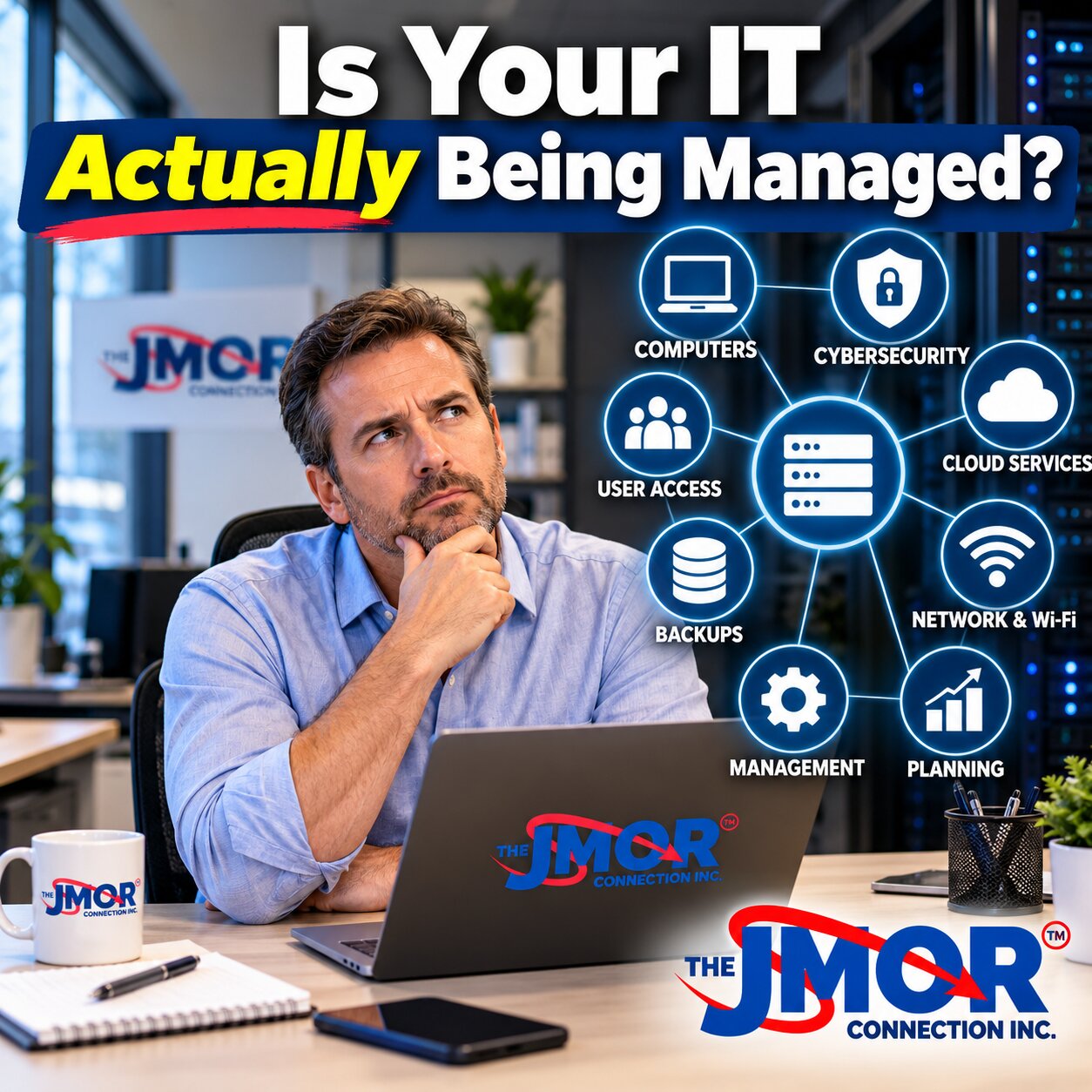
Is Your IT Actually Being Managed?
Technology is so deeply embedded in modern business operations that most organizations would struggle to function for long without it. Employees depend on computers, email, cloud applications, wireless networks, shared files, printers, mobile devices, accounting platforms, customer databases, communications systems, and Internet connectivity throughout the workday. Yet despite that dependence, many businesses have never clearly determined who is actually responsible for managing the technology environment as a whole.
They may have a technology company they call when something stops working. Perhaps someone responds when an employee cannot access email, a computer becomes unusually slow, the Internet connection becomes unreliable, or a printer refuses to cooperate. Problems get resolved, invoices get paid, and everyone returns to work. From the perspective of the business owner or manager, it can appear that IT is being handled.
However, there is an important distinction between having someone available to fix technology problems and having someone actively manage the technology the business depends on.
Effective IT management requires a broader view of the organization. It involves understanding what technology exists, how the different components interact, who has access to critical systems, which equipment is nearing the end of its useful life, whether security protections remain appropriate, whether backups function as intended, and how technology should evolve as the organization changes.
A technician can successfully repair a computer without answering any of those questions.
That does not mean reactive technical support has no value. Businesses will always experience unexpected problems, and having knowledgeable professionals available when something fails remains an important part of IT support. The concern arises when responding to individual problems becomes the organization's entire technology strategy.
At The JMOR Connection, Inc., we have worked with technology since 1993, and during that time the technology environments businesses depend upon have become dramatically more interconnected. Managing those environments requires more than simply waiting for the next support request.
IT Support and IT Management Are Not the Same Thing
Technical support typically begins with a specific problem. Someone cannot connect to the network. An application will not launch. A workstation has become unstable. An employee needs a new computer configured. A printer is inaccessible. A password needs to be reset.
The objective is usually straightforward: identify the problem, determine its cause, implement an appropriate solution, and restore the affected employee or system to normal operation.
IT management begins from a different perspective. Instead of asking only what is broken today, it examines whether the technology environment is being maintained in a way that reduces unnecessary problems, protects important systems, supports business objectives, and prepares the organization for future needs.
That may involve reviewing equipment age and condition, maintaining accurate documentation, managing endpoint security, examining network performance, evaluating firewall configuration, monitoring backup systems, reviewing administrative access, planning hardware replacements, assessing software licensing, maintaining wireless infrastructure, and discussing future technology requirements with management.
Both functions matter, but they solve different problems.
A business can therefore receive excellent technical support while still having significant gaps in managing its overall technology environment.
Someone Should Understand the Entire Technology Environment
One of the clearest indications of whether technology is genuinely being managed is whether someone can explain how the environment is constructed.
That does not mean every executive needs to understand firewall rules, network topology, authentication systems, or server configurations. It means the organization should have access to someone who understands how its critical technology components fit together and can evaluate the consequences of changing one of them.
Consider what happens when a business grows organically over several years. Computers are purchased when employees are hired. Wireless access points are added when coverage becomes inadequate. Different departments adopt software applications. The company introduces cloud services to solve specific business problems. Printers, cameras, phones, storage devices, and other equipment gradually become part of the network.
Individually, each decision may have been reasonable. Collectively, however, they can produce a technology environment that nobody has ever evaluated as a complete system.
That creates operational and security concerns because technology components rarely exist in isolation. A network change can affect wireless performance. An identity-management decision can influence access to cloud services. A firewall configuration can affect remote connectivity. Replacing a server can affect applications, authentication, storage, backups, and employee workflows.
Managing IT means understanding those relationships rather than treating every technology issue as an unrelated event.
Documentation Is Part of Professional IT Management
Technology documentation may not attract much attention when everything is working properly, but its importance becomes obvious when something changes or fails.
A properly managed environment should maintain appropriate information about critical systems, network equipment, Internet services, hardware, software, licensing, warranties, configurations, administrative responsibilities, backup systems, and other important components. The exact documentation required varies according to the size and complexity of the organization. Still, the principle remains the same: essential knowledge about the technology environment should not exist exclusively in someone's memory.
Without adequate documentation, even relatively ordinary events can become unnecessarily complicated. Replacing a failed network device may take longer because nobody knows how the previous device was configured. A software subscription may renew unexpectedly because no one recorded ownership. An administrator may leave the organization while still possessing knowledge or credentials that were never formally documented.
Documentation also supports continuity. Businesses should not depend on one individual being available simply because that person is the only one who understands how a critical system was configured.
Good documentation does not eliminate technical problems, but it can substantially improve the organization's ability to respond to them intelligently.
Technology Has a Lifecycle Whether a Business Plans for It or Not
Computers, servers, firewalls, wireless access points, switches, storage systems, batteries, and other technology infrastructure do not remain suitable indefinitely.
Equipment ages. Manufacturer support eventually ends. Software requirements increase. Business needs change. Hardware that was perfectly adequate several years ago may gradually become a performance limitation, reliability concern, or security issue.
When technology is managed reactively, failure often triggers replacement decisions. A computer stops functioning, so the organization buys another. A network device becomes unreliable, so it is replaced. A server reaches the point where continued operation is no longer practical, and suddenly the organization needs to make an urgent decision.
Emergency replacement can be considerably more disruptive than planned replacement because the business may have limited time to evaluate options, budget appropriately, schedule implementation, migrate data, test applications, or minimize employee disruption.
IT management introduces lifecycle planning into the conversation. Rather than asking only whether a device works today, the organization considers its age, support status, performance, importance, and likely future requirements.
The objective is not to replace equipment unnecessarily. It is to prevent predictable technology decisions from becoming emergencies simply because no one looked ahead.
Updates Are Important, but Management Goes Beyond Updates
Businesses have become increasingly aware of the importance of software and operating-system updates, which is a positive development. Security patches can address known vulnerabilities, fix defects, and improve system reliability.
However, as we discussed in our article “Your Business Is Updated. So Why Is It Still Vulnerable?”, an updated technology environment is not automatically secure or properly managed.
A computer can be fully patched while still having unnecessary administrative privileges. A firewall can run current firmware while containing rules that no longer reflect the organization's needs. A cloud application can be updated by its provider while former employees retain access. A supported operating system can still be exposed by weak credentials or inadequate endpoint protection.
Effective IT management therefore considers updates as one component of a larger operational and cybersecurity strategy.
The important question is not simply whether updates were installed. It is whether the organization understands the systems being updated, verifies that they remain supported, manages the associated security controls, and evaluates how they fit into the larger environment.
User Accounts Require Ongoing Management
People join organizations, change positions, receive new responsibilities, work remotely, gain access to additional systems, and eventually leave. Every one of those events can affect technology access.
Without an established process for managing accounts and permissions, access can accumulate over time.
An employee who moves into a different role may still retain permissions from a previous position. A temporary account created for a project may remain active after the project ends. A former employee's access may not be completely removed from every service. Shared accounts may make it difficult to determine who performed a particular action.
Modern business technology increasingly depends upon identity. Email platforms, cloud applications, file-sharing services, remote-access systems, accounting applications, customer-management platforms, and many other services use user identities as an important part of their security model.
Managing those identities should therefore be an ongoing responsibility, not something addressed only when someone reports an access problem.
Organizations should know who has access to important systems, why that access is required, and how access changes or is removed when circumstances change.
Endpoint Management Is More Than Repairing Computers
Every computer connected to a business environment represents both a productivity tool and a potential point of exposure.
Traditional computer support often focuses on whether the device functions properly for the employee. Modern endpoint management requires a broader perspective that includes operating-system health, updates, security protection, configuration, user privileges, software, device age, and the computer's role within the organization.
This difference matters when a business has many employees.
Managing ten, twenty, fifty, or one hundred computers individually without a consistent approach can create significant variation between devices. Some may be fully updated while others have fallen behind. Some may have appropriate security protection while others contain software that should have been removed. Some may run supported operating systems, while older machines remain in service because nobody has evaluated them recently.
A managed approach creates consistency and visibility across endpoints.
This does not mean every device must be configured identically. Different employees have different responsibilities and software requirements. The goal is to set appropriate standards so the organization understands what is operating in its environment and can identify exceptions that need attention.
Your Network Should Not Be Invisible Until It Fails
For many businesses, the network has become the organization's circulatory system. Internet connectivity, cloud applications, printers, shared files, phones, wireless devices, security systems, and numerous other services may all depend upon it.
Yet networks often receive very little attention while they are functioning.
Switches can remain in service for years without anyone reviewing their condition. Wireless networks can expand through a series of incremental additions without an overall design. Firewall configurations can accumulate changes that were made for temporary needs. Internet service may remain unchanged even after the organization has substantially increased its dependence upon cloud applications.
Eventually, employees begin experiencing slow connections, unreliable Wi-Fi, intermittent outages, or other problems that appear suddenly even though the underlying conditions may have been developing for a considerable period.
Proper network management looks beyond whether Internet access is available at a particular moment. It considers capacity, reliability, security, wireless coverage, equipment condition, configuration, redundancy where appropriate, and how the network supports current business operations.
When businesses treat the network as infrastructure rather than merely a utility, they are better positioned to identify weaknesses before they become major disruptions.
Firewall Management Requires More Than Installing a Firewall
A firewall is an important component of business network security, but purchasing and installing one does not complete the job.
Firewalls contain configurations that determine how traffic is handled, which services are accessible, how remote connectivity functions, what security features are enabled, and how the device interacts with the rest of the network. Those configurations can become outdated as the organization changes.
A rule that was necessary for an application several years ago may no longer be required. Remote access created for a former employee or vendor may still exist. Security capabilities available on the device may not be configured appropriately for the organization's current requirements.
Firmware updates are important, but an updated firewall with an inappropriate configuration can still create unnecessary risk.
Managing firewall and UTM protection therefore requires periodic attention to both the device's condition and the logic of its configuration. The objective is to ensure that the firewall continues to reflect the technology environment it is supposed to protect.
Wi-Fi Has Become Business Infrastructure
Wireless networking was once primarily a convenience. Today, it frequently supports laptops, tablets, smartphones, point-of-sale systems, printers, conference-room technology, communications equipment, and numerous other devices.
As dependence on Wi-Fi increases, so does the importance of managing it properly.
A business may respond to weak coverage by adding another access point or inexpensive wireless extender. That can improve one immediate problem while creating others involving channel congestion, roaming behavior, network segmentation, performance, or security.
Business Wi-Fi should be considered as part of the overall network architecture. Coverage, capacity, access-point placement, authentication, guest access, device density, interference, and security all matter.
The goal is not simply to produce a strong signal. It is to provide reliable, appropriately secured wireless connectivity that supports how the organization actually operates.
Backup Management Means Knowing Whether Recovery Will Work
Seeing that a backup completed successfully can provide reassurance, but a backup's purpose is not to produce a successful status message. Its purpose is to make information recoverable when needed.
That distinction is fundamental.
A backup strategy should consider what data is protected, how frequently it is copied, where copies are stored, how long information is retained, how restoration works, and how the organization would continue operating after a serious technology failure.
Different businesses have different recovery requirements. An organization that can comfortably operate without a particular system for a day has a very different risk profile from one that begins losing substantial revenue after an hour of downtime.
This is where business continuity and disaster recovery become part of IT management.
A managed approach asks what would happen if a server failed, ransomware affected important systems, a building became inaccessible, critical files were accidentally deleted, or a cloud account was compromised. It then evaluates whether the organization's backup and recovery capabilities match those scenarios.
Without those conversations, a business may discover the limitations of its backup strategy at precisely the moment it needs it most.
Cloud Services Still Need Someone to Manage Them
Moving technology to the cloud can reduce the amount of physical infrastructure a business needs to maintain, but it does not eliminate the need for management.
Microsoft 365 and other cloud platforms still involve users, permissions, authentication, security settings, licensing, data, administrative accounts, and configuration decisions.
The provider manages the underlying service infrastructure, but the customer remains responsible for many decisions about how the service is used.
This distinction can become unclear because cloud applications often appear simple from the employee's perspective. Someone signs into a website or application and begins working. Behind that experience, however, are administrative settings that can influence security and business operations.
Organizations should know who administers their cloud platforms, who possesses elevated privileges, how accounts are created and removed, what authentication protections are used, and how important information is protected.
Cloud technology changes where infrastructure lives. It does not eliminate organizational responsibility.
Cybersecurity Should Be Managed as an Environment
One of the greatest changes in information technology has been the expansion of cybersecurity from individual computer protection into an organization-wide discipline.
Installing antivirus software remains useful, but modern cybersecurity can involve endpoint protection, identity security, multi-factor authentication, firewall configuration, network segmentation, secure wireless networking, cloud security, patch management, backup, employee awareness, remote-access controls, and incident response.
No single security product addresses all of those areas.
That is why cybersecurity benefits from being managed as a system of overlapping protections. The objective is to reduce the likelihood that one weakness can expose the entire organization.
A phishing message, for example, may target an employee rather than a computer. If credentials are stolen, identity protections become important. Suppose malicious software reaches an endpoint; endpoint security matters. If an attacker attempts to move through the network, network design and security controls become relevant. If information is encrypted or destroyed, backup and recovery capabilities become critical.
Managing cybersecurity therefore requires understanding how those layers work together.
Technology Management Should Include the Business's Future
IT management should not focus exclusively on maintaining what already exists.
Businesses change. They hire employees, open locations, introduce new services, adopt software, move offices, change vendors, expand remote work, and modify internal processes. Technology frequently plays a significant role in those changes.
When technology planning happens too late, businesses may discover that infrastructure cannot support what they intended to do. A new office may have inadequate network wiring. A cloud application may create unexpected integration requirements. Additional employees may expose limitations in wireless capacity or Internet bandwidth. A new business process may require security or backup capabilities that were never considered.
Including technology in business planning can prevent these situations.
The technology professional does not need to make the business decision. Management determines where the organization is going. IT management helps identify what technology will be necessary to support that direction, what risks to consider, and what investments to plan for.
That relationship turns technology from a series of emergency expenses into something the organization can manage more deliberately.
Cost Control Is Also Part of IT Management
Proactive IT management is sometimes interpreted as simply spending more money on technology. That should not be the objective.
Good management should help an organization determine where technology investment is justified and where it is not.
A business may discover that it is paying for unused software licenses, maintaining services that are no longer necessary, replacing equipment prematurely, or purchasing products that overlap with capabilities it already owns. Conversely, delaying a necessary replacement can create repair costs, downtime, employee frustration, and emergency expenses that exceed the cost of addressing the issue earlier.
The goal is not maximum technology spending. It is informed technology spending.
When organizations understand what they own, how they use it, its condition, and what the business will need next, budgeting becomes much more rational.
Repeated Problems Can Be a Management Signal
Every business experiences occasional technology problems. What deserves greater attention is when the same types of problems continue returning.
Employees repeatedly lose wireless connectivity. Computers regularly run out of storage. A line-of-business application continually experiences performance problems. The same printer fails every few weeks. Remote workers repeatedly struggle with access. A server requires increasingly frequent intervention.
Resolving each incident may restore operations temporarily, but repeated incidents can indicate an underlying issue that deserves a broader investigation.
The cause might involve aging equipment, inadequate capacity, configuration problems, environmental conditions, software limitations, network design, or a business process that has outgrown the technology supporting it.
IT management looks for those patterns.
Instead of measuring success exclusively by how quickly each ticket was closed, it asks why the tickets keep occurring and whether an investment, configuration change, redesign, or process improvement could eliminate the recurring problem.
Management Requires Accountability
One of the most valuable questions a business owner can ask is surprisingly simple:
Who is responsible for making sure our technology environment is healthy?
If the answer is unclear, the technology may not actually be managed.
Responsibility does not mean guaranteeing that nothing will ever fail. No IT provider can eliminate hardware failures, Internet outages, software defects, cyberattacks, human mistakes, or every other source of disruption.
Accountability means someone is paying attention to the environment beyond individual service requests.
Someone should know whether important equipment is aging. Someone should understand whether backups are operating appropriately. Someone should recognize when a security configuration deserves review. Someone should know when a system is approaching end of support. Someone should be able to discuss the organization's technology priorities with management.
Without that broader responsibility, businesses can spend substantial amounts of money fixing technology while never addressing the larger question of whether the environment itself is being managed effectively.
How Can You Tell Whether Your IT Is Actually Being Managed?
The answer is not determined by whether your IT provider uses a particular title, sells a particular package, or describes its services using the latest industry terminology.
Look instead at what is actually happening.
Does someone understand your technology environment beyond the last problem you reported? Is important information documented? Are aging systems identified before they fail? Are endpoints being maintained consistently? Are user accounts and permissions reviewed when employees join, change roles, or leave? Are firewall and network configurations treated as ongoing responsibilities? Does someone know whether your backups can support the recovery your business expects? Are recurring problems investigated rather than repeatedly patched? Does technology planning become part of conversations about where the business is going?
Those questions reveal much more than a service label.
A small organization may not require the same management structure as a company with hundreds of employees, multiple locations, extensive cloud infrastructure, and complex compliance obligations. Effective IT management should match the organization.
What matters is that someone looks beyond today's support ticket.
Good IT Management Should Make Technology Less Surprising
Technology will never be completely predictable. Hardware can fail unexpectedly, vendors can experience outages, software can malfunction, and cybersecurity threats continually evolve.
Proactive management is not about pretending those realities can be eliminated.
It is to reduce avoidable surprises.
A business should not discover that a critical server is obsolete only after it fails. It should not learn during a ransomware incident that backups were incomplete. It should not discover after an employee leaves that nobody knows which systems the employee could access. It should not find out during an expansion that the network cannot support additional staff.
These situations are not always preventable, but many can be anticipated through appropriate planning, documentation, monitoring, maintenance, and communication.
That is one of the most important differences between simply repairing technology and managing it.
Is Your IT Actually Being Managed?
Having someone available when technology breaks is important. Businesses need knowledgeable professionals who can diagnose problems, restore systems, support employees, and respond when unexpected issues arise.
But today's organizations depend on technology too heavily for repair alone to be a complete IT strategy.
Effective technology management requires understanding the environment as a whole. It means maintaining appropriate documentation, planning for equipment lifecycles, managing endpoints and user access, reviewing network and security infrastructure, protecting data, preparing for recovery, recognizing recurring problems, and helping management anticipate future technology requirements.
The question for a business owner is therefore not simply, “Who do we call when something breaks?”
A more useful question is:
“Who is making sure our technology is being managed before something breaks?”
The difference between those two questions can have significant consequences for productivity, cybersecurity, business continuity, budgeting, and the organization's ability to grow without technology becoming an obstacle.
JMOR Connection, Inc. has helped businesses navigate technology since 1993. Our work includes IT support, cybersecurity, network infrastructure, Wi-Fi, endpoint management and protection, firewall and UTM solutions, backup, business continuity and disaster recovery, and technology consulting. Our objective is not simply to address technology when something goes wrong, but to help organizations understand and manage the technology upon which their operations depend.
If your business has someone to call when technology fails but you are not sure who's overseeing the entire technology environment, that is a conversation worth having.
Technology Happens. We Keep You Connected. ™