


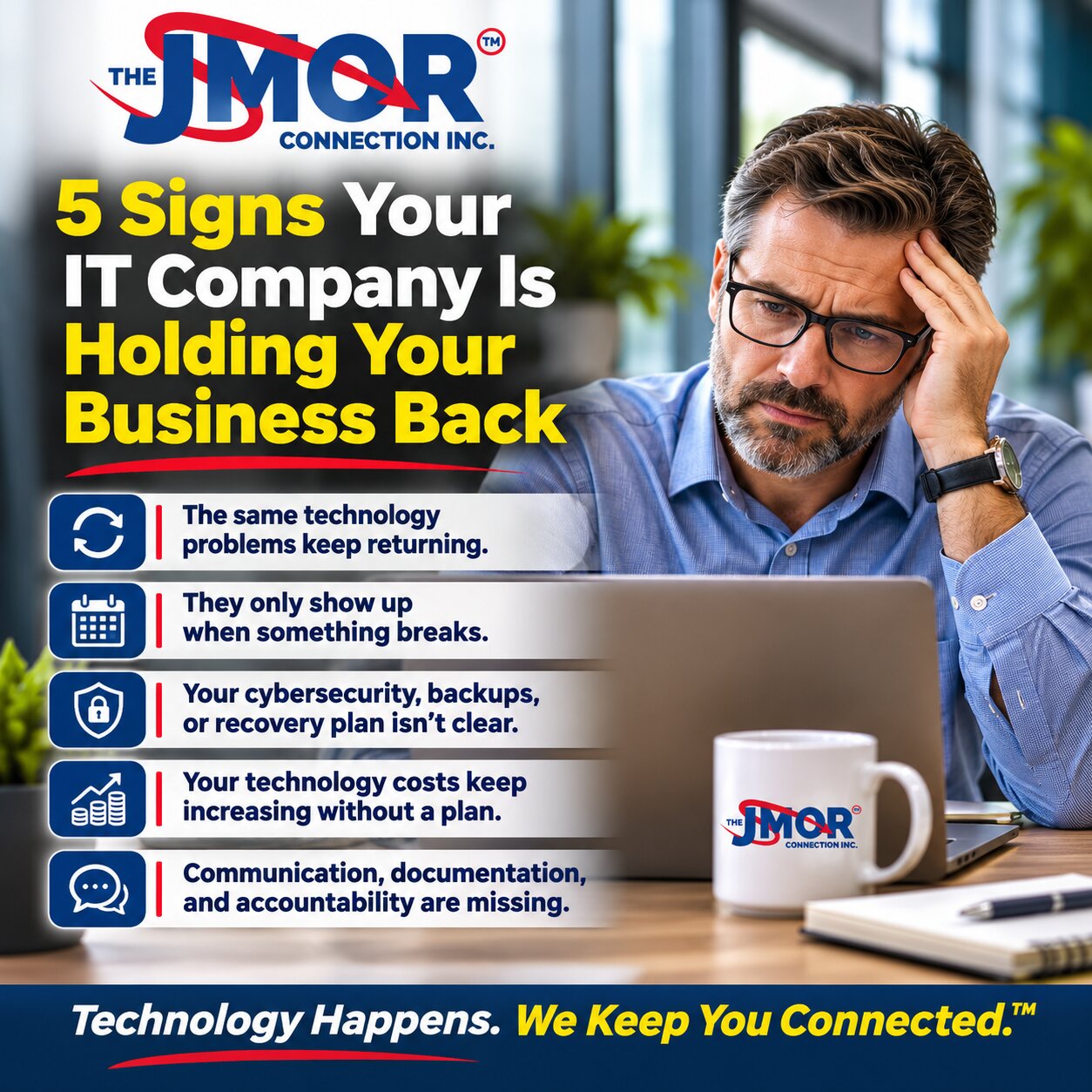
5 Signs Your IT Company Is Holding Your Business Back
Technology should help a business operate efficiently, protect its information, serve its customers, and prepare for growth. With the right systems and support, employees can focus on their responsibilities without constantly worrying about whether the network will stay available, applications will work properly, or a technical issue will interrupt an important business activity.
Unfortunately, not every business receives that level of support from its technology provider.
Many organizations maintain relationships with IT companies for years without seriously evaluating whether those relationships continue to meet their needs. As long as someone answers the telephone when a computer stops working, management may assume its technology is being handled appropriately.
However, responding to technical problems is only one component of professional IT support. A provider should also understand the business environment, identify recurring issues, maintain appropriate security controls, document important systems, and help management make informed technology decisions.
An IT company does not need to prevent every technical problem to provide excellent service. Hardware eventually fails, software occasionally behaves unpredictably, and even carefully maintained networks can experience unexpected disruptions. What matters is how those problems are investigated, managed, communicated, and prevented from becoming recurring operational obstacles.
The more important question is whether your technology provider is helping your organization become more reliable and productive or simply keeping it operational from one incident to the next.
Here are five warning signs that your IT company may be holding your business back.
1. The Same Technology Problems Keep Returning
Every business experiences occasional technical difficulties. A workstation may lose connectivity, a printer may stop responding, an application may freeze, or an employee may encounter difficulty accessing a shared resource.
These incidents are not necessarily evidence of poor IT support. The concern begins when the same problems keep returning without anyone determining why.
Consider a business where employees regularly complain that the wireless network becomes unreliable during certain hours. Each time someone contacts the IT provider, a technician restarts a device, adjusts a setting, or reconnects an affected workstation. The immediate problem disappears, and everyone returns to work.
A few days later, the problem happens again.
The provider may have restored connectivity each time, but the underlying issue remains unresolved. Perhaps the network equipment is overloaded, wireless coverage is inadequate, interference is affecting performance, or the infrastructure was never designed to accommodate the current number of users and devices.
Without a structured investigation, the organization continues spending time and money addressing symptoms rather than causes.
This distinction matters because recurring technical problems often create operational costs that are hard to recognize.
An employee who loses ten minutes several times a week may not report every interruption. A department that routinely waits for an application to respond may accept the delay as normal. Over time, these disruptions can reduce productivity, frustrate employees, and affect customer service.
A professional IT provider should look for patterns in support requests. If multiple employees report similar problems, those incidents should be examined collectively rather than treated as unrelated events.
For example, repeated workstation crashes might indicate incompatible drivers, insufficient resources, aging equipment, or an application issue. Frequent authentication problems could suggest identity configuration concerns, inconsistent account policies, or synchronization failures.
The goal isn't just to close support tickets. It is to understand whether the underlying technology environment requires corrective action.
This is one reason organizations benefit from examining the real cost of IT downtime. The financial impact of technology interruptions extends beyond the time required to repair an individual device.
What Your IT Company Should Be Doing
A capable provider should track reported problems, identify recurring incidents, investigate root causes when appropriate, and recommend corrective measures.
Not every issue requires an expensive infrastructure replacement. Sometimes the solution involves adjusting configuration settings, updating firmware, improving network coverage, or correcting an overlooked dependency.
However, the provider should be able to explain why a problem keeps recurring and what reasonable steps can reduce the likelihood of its return.
If your organization repeatedly pays to resolve the same issue without receiving a meaningful explanation or improvement plan, that is a warning sign worth addressing.
2. Your IT Company Only Appears When Something Breaks
There is an important difference between having someone available to repair technology and having a provider actively responsible for helping maintain the environment.
Reactive support focuses primarily on restoring service after a problem occurs. Proactive management adds activities intended to reduce preventable failures, identify emerging risks, and prepare systems for changing business requirements.
Both functions are necessary. Even organizations with excellent preventive maintenance occasionally need emergency support.
The concern arises when emergency response becomes the only part of the relationship.
Imagine a company that contacts its IT provider only when an employee cannot log in, a server becomes unavailable, or the internet connection stops working. Between those incidents, there are no meaningful discussions about equipment condition, security improvements, backup verification, software compatibility, or future technology requirements.
The business may believe it has a comprehensive IT relationship when, in practice, it has access to a repair service.
This arrangement can become increasingly problematic as an organization grows.
A business with five employees may operate with relatively simple technology requirements. As the company expands, it may introduce additional workstations, cloud applications, shared resources, remote access, specialized software, and more complex security responsibilities.
Infrastructure that worked well several years ago may no longer meet current demands.
Without ongoing assessment, management may not realize that important equipment is approaching the end of its supported lifecycle, storage capacity is becoming inadequate, or critical network components represent single points of failure.
These issues are often discovered at the least convenient time.
A firewall may reach the end of its support period. A server may run out of available storage. A business application may require an operating system version that existing equipment cannot support.
None of these situations necessarily develops overnight. In many cases, you can identify the problem and plan an orderly response.
Businesses should understand whether their IT is actually being managed, rather than assuming that access to technical assistance automatically includes ongoing oversight.
Proactive Support Requires More Than Automated Alerts
Monitoring tools can help identify problems involving system availability, resource utilization, device health, and certain security conditions. However, installing monitoring software does not automatically create an effective management program.
Someone must determine which systems should be monitored, establish appropriate thresholds, review meaningful alerts, investigate exceptions, and take action when intervention is necessary.
A warning about limited storage capacity has little value if nobody responds until the system stops functioning.
Likewise, a report identifying outdated software provides little protection unless someone evaluates the findings and determines an appropriate remediation plan.
Proactive management also involves conversations with business leadership.
A technology provider should understand whether the organization expects to hire additional employees, relocate, expand its facilities, introduce new services, or adopt applications that place additional demands on its infrastructure.
These discussions help ensure technology decisions support business objectives rather than repeatedly forcing the organization to adapt around preventable limitations.
If your IT company rarely discusses the condition of your systems or the direction of your business, it may be missing an important part of its responsibility.
3. Nobody Can Clearly Explain Your Cybersecurity, Backups, or Recovery Plan
Cybersecurity and business continuity are among the most important areas where organizations need clarity about their technology responsibilities.
Unfortunately, some businesses operate for years without a reliable understanding of which protections are installed, how those protections are maintained, or what would happen if a serious incident disrupted operations.
Management may hear statements such as, "You have antivirus software," "Your firewall is installed," or "Your files are backed up."
Those statements may be accurate, but they do not establish whether the organization's security and recovery arrangements are appropriate or functioning as intended.
A firewall is an important security component, but its effectiveness depends on its configuration, maintenance, supported features, and placement within the network.
Endpoint security tools can help identify malicious activity. Still, they do not eliminate every threat. Compromised credentials, social engineering, insecure remote access, unsupported applications, and configuration errors can create additional exposure.
Businesses need a broader understanding of network security and internet safety, including how different layers of protection relate.
The same principle applies to backups.
A business may have a backup application installed and still be unprepared to recover from a major failure.
The critical questions concern what information is protected, how frequently backups occur, where copies are stored, whether failures are detected, and whether recovery procedures have been tested.
A backup system that has silently failed for several months may create a false sense of security. Similarly, a backup that contains the necessary information but requires several days to restore may not meet the operational needs of a business that depends on near-continuous access to its systems.
Organizations should distinguish between possessing backups and maintaining a realistic recovery capability.
Our article, A Backup Is Not Enough: Why Every Business Needs a BCDR Strategy, explores why business continuity and disaster recovery require more than simply copying data.
Security Responsibilities Should Be Documented
One of the most concerning situations occurs when business leadership assumes the IT provider is responsible for a particular security function. In contrast, the provider believes someone else is responsible.
For example, an organization may assume its IT company monitors cloud account security because the provider originally configured the service. The provider, however, may consider ongoing monitoring outside its contracted responsibilities.
The resulting gap may remain unnoticed until an incident occurs.
Clear documentation should identify important systems, relevant security controls, assigned responsibilities, and the procedures used to maintain them.
This does not mean every small business needs an elaborate technical manual or an enterprise security department.
It means management should be able to obtain understandable answers to fundamental questions.
Who administers user accounts? Who reviews privileged access? Who maintains the firewall? Who monitors backup failures? Who evaluates important security updates? Who coordinates recovery if a critical system becomes unavailable?
A provider should also be willing to explain limitations.
No responsible IT company can guarantee that a business will never experience a cyberattack or system failure. Security involves reducing risk, detecting problems, responding appropriately, and preparing for events that cannot be completely prevented.
If your provider cannot clearly explain what protections exist, what responsibilities it performs, and where meaningful gaps remain, the business may be operating with more uncertainty than management realizes.
4. Your Technology Costs Keep Increasing Without a Clear Plan
Technology spending is necessary to run a modern business. Computers, networking equipment, security systems, software subscriptions, cloud services, and professional support all require financial investment.
The objective should not be to eliminate technology expenses. Instead, they should make those expenses understandable, appropriate, and aligned with the organization's operational requirements.
A warning sign emerges when technology costs continue increasing without a clear explanation of what the business is receiving or why additional spending is necessary.
For example, an organization may purchase replacement computers whenever individual systems fail, renew software subscriptions without reviewing usage, and replace networking equipment only after it becomes unreliable.
Each expense may appear reasonable. Collectively, however, the organization may lack an effective technology lifecycle strategy.
This can lead to inconsistent equipment, unnecessary software costs, emergency purchases, and difficulty forecasting future expenses.
A capable IT provider should help management understand which investments are necessary, which can reasonably be deferred, and which may provide meaningful operational benefits.
That process begins with understanding the existing environment.
How old are the workstations? Which operating systems remain supported? Are network devices receiving security updates? Does the business maintain appropriate hardware warranties? Are employees using software subscriptions that no longer serve a business purpose?
The answers help establish priorities.
Technology Planning Should Reflect Business Needs
A professional technology recommendation should have a business rationale.
If a provider recommends replacing a firewall, management should understand whether the existing device is unsupported, lacks necessary capacity, has security limitations, or no longer accommodates the organization's requirements.
If the provider recommends upgrading a server, the explanation should address the system's condition, performance, compatibility, support status, or business continuity implications.
Simply stating that newer technology is better does not establish a sufficient business case.
At the same time, retaining outdated equipment indefinitely can create its own financial risks.
A business that postpones necessary infrastructure improvements may eventually face expensive emergency repairs, prolonged outages, or compatibility problems that disrupt normal operations.
The most effective approach balances operational risk, available resources, and reasonable replacement schedules.
This is especially important for smaller businesses that must manage technology spending carefully.
An IT provider should not automatically recommend the most expensive solution. The provider should evaluate alternatives and explain the practical trade-offs.
For some organizations, an incremental upgrade may be appropriate. Others may benefit from replacing a critical component before it fails. In certain cases, improving configuration or eliminating unnecessary services may produce better results than purchasing additional equipment.
The important point is that recommendations should be grounded in the organization's actual needs.
Unexpected Bills Should Not Replace Communication
Emergency work sometimes creates legitimate unexpected expenses. A hardware failure or serious security incident can require immediate action.
However, a pattern of surprise charges may indicate that the organization lacks sufficient planning or communication.
Management should understand the scope of its support agreement, which services are included, what activities require additional authorization, and how significant expenditures will be presented.
Transparent billing and clearly defined responsibilities are important parts of a healthy business relationship.
If your technology provider cannot explain your ongoing costs, future requirements, or the value of recommended investments, it may be time to request a more structured technology review.
5. Communication, Documentation, and Accountability Are Consistently Missing
Technical expertise matters, but it is not the only characteristic of a dependable IT provider.
A company may employ knowledgeable technicians and still deliver a frustrating experience if communication is inconsistent, documentation is inadequate, or nobody takes responsibility for unresolved problems.
Consider a business owner who reports a significant technical issue and receives no meaningful update for several hours.
The provider may be actively investigating the problem. Still, without communication, management cannot determine whether the situation is understood, whether a workaround is available, or when another update should be expected.
This uncertainty can complicate staffing decisions, customer commitments, and operational planning.
Effective communication does not require promising an exact resolution time when the cause remains unknown.
It requires acknowledging the issue, explaining what is currently known, identifying the next reasonable action, and providing updates appropriate to the incident's severity.
For critical problems, communication becomes particularly important because business leadership may need to activate alternative procedures or notify affected parties.
Documentation Protects the Business Relationship
Documentation deserves attention.
Important technical information should not exist exclusively in one technician's memory.
A business environment may include network configurations, administrative accounts, software licenses, vendor relationships, equipment inventories, backup procedures, and other information necessary to maintain operations.
If those details are undocumented, even routine changes can become unnecessarily complicated.
The problem worsens when a technician leaves, a provider changes personnel, or the business transitions to another IT company.
Without adequate records, the incoming technician may need to reconstruct information that should have been maintained throughout the relationship.
This can delay support, increase costs, and introduce avoidable operational risk.
Maintain appropriate documentation securely, with access controlled according to the sensitivity of the information. Do not place passwords or other credentials in unsecured documents or share them through inappropriate channels.
A professional provider should also respect the client's legitimate ownership and administrative access rights.
Businesses should understand who controls their domain registrations, cloud tenants, software subscriptions, network equipment, and other important technology assets.
A healthy IT relationship shouldn't depend on making it unnecessarily difficult for the customer to get information about its own systems.
Accountability Means Taking Ownership of Problems
One of the clearest indicators of service quality is how a provider handles a difficult or unresolved issue.
A dependable IT company doesn't need an immediate answer to every problem. Complex technology environments sometimes require extensive investigation, vendor coordination, or additional testing.
However, the provider should own the process.
That means identifying next steps, communicating meaningful findings, and ensuring the issue doesn't simply disappear from attention because an initial troubleshooting attempt was unsuccessful.
Accountability also includes acknowledging mistakes when they occur.
If a configuration change causes an unexpected problem, the provider should investigate, explain the circumstances appropriately, and take reasonable corrective action.
Businesses should not have to repeatedly explain the same unresolved incident to different technicians without evidence that previous work has been documented.
When communication and accountability are consistently absent, even relatively minor technical problems can become significant sources of frustration.
When Should a Business Consider Changing IT Providers?
Recognizing a warning sign does not automatically mean the best decision is to terminate an existing IT relationship.
A single delayed response, unexpected equipment failure, or unresolved technical problem may have a reasonable explanation.
The more meaningful consideration is whether there is a persistent pattern of inadequate service, poor communication, insufficient planning, or unaddressed operational risk.
Before changing providers, management should clearly identify its concerns and allow the existing company to explain its approach.
A productive conversation might address recurring incidents, unresolved security questions, unclear support responsibilities, or the absence of a technology roadmap.
The business can request specific improvements, appropriate timelines, and a clear understanding of how progress will be evaluated.
In some cases, these discussions lead to meaningful changes and a stronger relationship.
In others, the provider may lack the resources, capabilities, or service model necessary to support the organization's current needs.
A business that has outgrown a primarily reactive arrangement may benefit from reviewing whether it has outgrown break-fix IT support.
The decision should be based on the organization's requirements rather than frustration alone.
What Should You Look for in a Better IT Company?
If your organization determines that a change is appropriate, selecting a replacement provider deserves careful consideration.
The lowest hourly rate or most aggressive sales presentation does not necessarily represent the best long-term value.
A business should evaluate whether a prospective provider understands its environment, communicates clearly, maintains appropriate technical capabilities, and offers services that match its actual requirements.
The evaluation should include questions about support procedures, cybersecurity responsibilities, backup management, documentation practices, vendor coordination, and technology planning.
Management should also understand how the provider handles urgent problems, how service requests are tracked, and whether the agreement clearly defines included and excluded services.
For businesses with specialized applications, regulatory obligations, or unusual infrastructure requirements, the provider's relevant experience matters most.
A professional assessment should consider the existing environment before making extensive recommendations.
A provider that immediately insists every system must be replaced without first understanding the business may not be approaching the engagement with sufficient care.
Likewise, a provider that promises complete protection from cyberattacks or guarantees that systems will never experience downtime is making claims that deserve skepticism.
The right relationship should be built on realistic expectations, technical competence, clear responsibilities, and mutual accountability.
Changing IT Providers Should Be a Controlled Business Decision
Some businesses remain with an unsatisfactory IT company because they worry that switching providers will disrupt operations.
That concern is understandable.
A poorly coordinated transition can create problems involving account access, vendor information, network configuration, security tools, or critical applications.
However, changing providers does not have to mean replacing every piece of equipment or rebuilding the entire environment.
A carefully planned transition should begin with an inventory of important systems, services, credentials, contracts, and dependencies.
The incoming provider should work to understand the environment before making unnecessary changes.
Administrative access should be verified, documentation reviewed, and critical services identified. Backup arrangements and recovery capabilities should receive particular attention.
Where appropriate, changes should be scheduled to minimize disruption to business operations.
The organization should also review its existing support agreement to understand termination provisions, notice requirements, and any contractual responsibilities associated with the transition.
A professional transition respects the business's continuity requirements and the legitimate responsibilities of all parties involved.
The goal isn't simply to replace one vendor with another. It is to establish a more dependable technology management relationship.
The Right IT Company Should Help Your Business Move Forward
Technology should support the way your business operates today while providing a practical foundation for tomorrow.
That doesn't require every organization to buy the newest equipment, migrate every application to the cloud, or maintain an unnecessarily complex infrastructure.
It requires thoughtful decisions about reliability, security, performance, business continuity, and future needs.
A strong IT relationship should make those decisions easier.
Business leadership should have a reasonable understanding of the condition of its technology environment, the most important risks requiring attention, and the investments likely to become necessary.
Employees should have a dependable way to request assistance, and recurring problems should receive meaningful investigation.
Security responsibilities should be clear, backup and recovery arrangements should be understood, and important technology information should be properly documented.
Above all, the provider should recognize that technology exists to support the business, not the other way around.
When a company spends more time accommodating technology problems than benefiting from its systems, the relationship deserves examination.
Is Your IT Company Helping Your Business Grow?
If your organization recognizes several of these warning signs, it may be time to evaluate whether its current technology support arrangement still meets its needs.
The JMOR Connection, Inc. has been serving technology needs since 1993, helping businesses address IT support, networking, cybersecurity, infrastructure, and related technology challenges.
Our approach starts with understanding your environment, identifying practical priorities, and discussing solutions that align with your organization's requirements.
Whether your business is dealing with recurring technical problems, evaluating its security posture, reviewing aging infrastructure, or considering a change in IT providers, a thoughtful assessment can help clarify the next steps.
Learn more about our IT support solutions for New Jersey businesses and discover how The JMOR Connection, Inc. can help you evaluate your technology needs.
Technology Happens. We Keep You Connected.™