


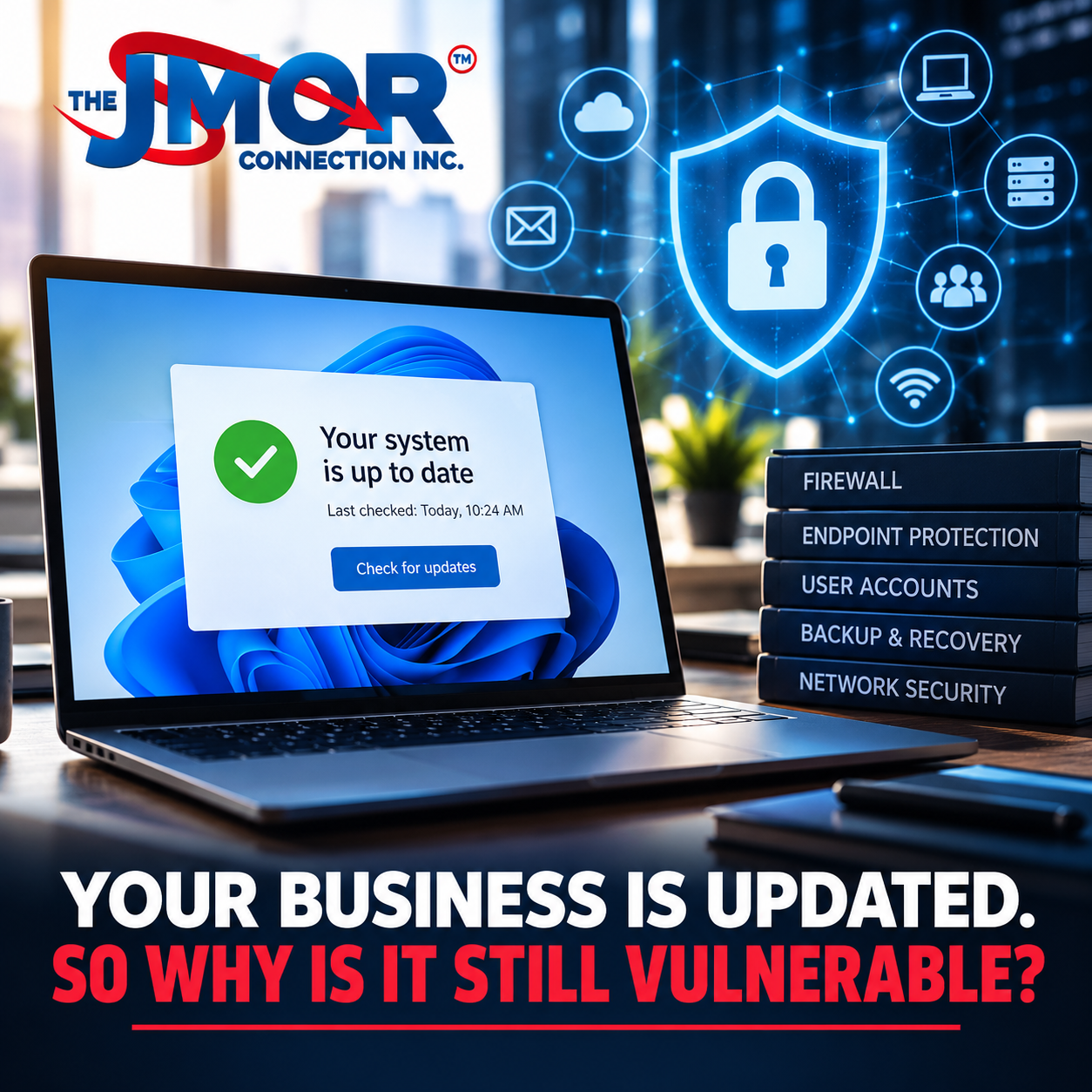
A reassuring moment is familiar to almost every computer user. The operating system finishes installing updates, the computer restarts, and a message appears saying everything is current. For a business owner or manager who has repeatedly heard about the importance of installing security patches, seeing that message can understandably create a sense that an important cybersecurity responsibility has been completed. Keeping technology updated is unquestionably important, and organizations that consistently install security updates are doing something meaningful to reduce their exposure to known vulnerabilities. The problem arises when being fully updated is interpreted as being fully protected.
Those two conditions are not the same.
A business can have completely updated computers and still operate with weak passwords, inadequate multi-factor authentication, poorly configured firewalls, unmanaged endpoints, unnecessary administrative privileges, forgotten user accounts, insecure wireless networks, exposed remote-access services, unsupported equipment, insufficient backups, inadequate recovery planning, or employees who have never been taught how to recognize a sophisticated phishing attempt. None of those weaknesses necessarily disappears when Windows, macOS, Microsoft 365, a browser, or another application installs its latest update.
At The JMOR Connection, Inc., we have been working with technology since 1993. During that time, the meaning of business technology has changed dramatically. In the early years of commercial computing, many organizations relied primarily on individual computers, locally installed software, printers, and comparatively simple networks. Today, even a relatively small company may depend upon cloud applications, wireless networks, remote access, smartphones, laptops, Internet-connected security cameras, Voice over IP phones, online accounting systems, customer databases, Microsoft 365, shared cloud storage, third-party applications, smart devices, and numerous vendors whose systems interact with its own.
That evolution has delivered extraordinary improvements in productivity and flexibility, but it has also fundamentally changed cybersecurity. Protecting a business can no longer mean simply installing antivirus software and keeping several computers updated. Modern security requires understanding the entire technology environment: how its components communicate, who has access to them, how those people authenticate, how systems are monitored, what happens when something fails, and how the organization would recover if a significant incident occurred.
The better question for a business is therefore no longer simply, “Are our computers updated?”
It is, “Do we understand and manage the risks throughout our entire technology environment?”
Software Updates Are Essential, but They Solve a Specific Problem
Security updates exist for an important reason. Modern software contains millions of lines of code, interacts with numerous other systems, and operates across an enormous variety of hardware and network configurations. Vulnerabilities are inevitably discovered. When manufacturers identify security weaknesses, they may develop patches that correct the underlying problem and distribute those corrections through operating-system, application, firmware, or security updates.
Applying those updates promptly can prevent an organization from remaining exposed to vulnerabilities for which corrections are already available. This becomes particularly important once a vulnerability is publicly known because attackers may begin scanning for systems that have not yet been patched. In that environment, delaying an update can leave an organization exposed to a known, potentially preventable problem.
Current cybersecurity research reinforces the importance of this issue. Verizon's 2026 Data Breach Investigations Report identifies vulnerability exploitation as a major initial access vector among the incidents analyzed in its dataset. That is an important reminder that patching should not be treated as optional maintenance. Organizations need a disciplined process to identify systems, understand available updates, evaluate operational considerations, and apply appropriate security patches.
The limitation is that a patch generally addresses a particular vulnerability or group of vulnerabilities. It does not conduct a comprehensive security review of the organization installing it. Microsoft cannot determine from a Windows update whether a former employee still has access to a company's cloud storage. A firewall manufacturer cannot know whether a rule created three years ago for a temporary vendor should still exist. Updating a wireless access point cannot determine whether an organization has placed sensitive business systems and guest devices on the same network. Installing a browser patch cannot determine whether an employee recently entered credentials into a fraudulent website.
Patching is therefore an essential security control, but it is only one control within a much larger system.
A Fully Patched Computer Can Still Be Compromised
One of the easiest ways to understand this distinction is to consider what happens when credentials are stolen.
Suppose an employee receives an email that appears to come from a legitimate cloud service. The message states that a document has been shared and provides a link. The employee clicks the link and arrives at a convincing copy of the service's login page. Believing the page to be genuine, the employee enters a username and password.
Nothing about that scenario requires the employee's computer to be missing an operating-system update.
The computer could have been patched that morning.
The browser could be current.
The endpoint protection software could be running.
The vulnerability could exist elsewhere entirely: the employee has been deceived into voluntarily providing authentication information to an attacker.
This is why phishing and social engineering continue to deserve serious attention. Attackers don't always need to defeat a sophisticated security product when they can manipulate the person sitting in front of it. Spear phishing, business email compromise, smishing, vishing, QR-code phishing, fraudulent login pages, impersonation, and other forms of social engineering exploit trust and human behavior rather than relying exclusively on software vulnerabilities.
That does not mean technology is powerless against these attacks. Email filtering, endpoint protection, DNS security, multi-factor authentication, identity controls, logging, and other security measures can reduce risk considerably. However, the organization still needs an integrated approach that combines technology with sensible policies and employee awareness.
A company that patches every workstation but does nothing about authentication, identity management, phishing awareness, or account security has addressed only one portion of its exposure.
Cybersecurity Has Become an Identity Problem as Much as a Device Problem
Cybersecurity discussions once focused heavily on protecting the physical computer. That remains important, but the rise of cloud computing has made identity increasingly central to business security.
Consider how much business information can now be accessed without physically touching an office computer. Email, files, customer information, calendars, financial systems, collaboration platforms, administrative portals, and other resources may be available through a web browser from virtually anywhere. In this environment, the username and the mechanisms used to authenticate it can become as important as the computer itself.
A perfectly updated laptop does little to prevent an attacker from logging into a cloud service using credentials obtained elsewhere.
Multi-factor authentication can significantly improve protection by requiring something beyond a password, but even MFA must be implemented thoughtfully. Businesses need to understand which accounts require it, whether administrative accounts receive stronger protection, how recovery methods are handled, whether legacy authentication remains available, and how employees should respond to unexpected authentication requests.
Identity security also includes account lifecycle management. Employees are hired, promoted, transferred, reassigned, and eventually separated from organizations. Vendors may receive temporary access. Consultants may need administrative privileges during a project. Test accounts may be created while troubleshooting. Shared accounts sometimes emerge because they are convenient.
Over time, an organization can accumulate identities and permissions that no longer correspond to its current operations.
Software updates cannot determine whether those accounts should still exist.
Someone has to manage them.
The Firewall May Be Current While the Configuration Is Years Out of Date
Firewalls provide another excellent example of the difference between maintenance and security management.
A modern business firewall or Unified Threat Management appliance may provide sophisticated capabilities for controlling network traffic, detecting threats, managing remote connectivity, segmenting networks, and applying security policies. Manufacturers regularly release firmware updates to correct vulnerabilities and improve those devices, making firmware maintenance an important responsibility.
However, a firewall ultimately depends on its configuration.
A company can be running the newest available firmware while maintaining rules that no longer make sense.
Perhaps a vendor needed remote access to a server several years ago, and someone created a firewall rule temporarily. The project ended, but nobody removed the rule. Maybe a service was exposed to the Internet for an application that has since been replaced. Perhaps remote access was configured quickly during an emergency and never revisited. Overly broad rules may have been created to solve an immediate operational problem but were never tightened afterward.
None of these situations necessarily generates an obvious warning that the firewall is misconfigured.
The equipment may function perfectly.
The firmware may be current.
The network may appear normal.
Yet the configuration may no longer reflect the organization's actual requirements.
Effective firewall and UTM protection therefore requires more than applying firmware updates. It requires understanding the network, reviewing access requirements, limiting unnecessary exposure, documenting important changes, protecting administrative access, and periodically confirming that the firewall configuration still matches the organization's operational and security needs.
Endpoint Security Requires Visibility, Not Just Updates
Endpoints are the devices people use to interact with business technology. Desktop computers, laptops, workstations, and increasingly mobile devices can contain or provide access to sensitive organizational information. Because people use these devices every day, businesses often focus heavily on whether they are patched.
That is appropriate, but endpoint security involves a much larger set of questions.
Does the organization know every device that should be connecting to its systems? Is endpoint protection installed and functioning correctly? Are security policies being applied consistently? Are users operating with unnecessary administrative privileges? Is unauthorized software being installed? Are systems encrypted where appropriate? Are devices that have reached the end of their useful or supported life still in operation? What happens when an employee takes a laptop outside the office? What happens when a device is lost or stolen?
Without visibility into the endpoint environment, management may not know a problem exists until it becomes disruptive.
This is one reason endpoint management and protection should be considered an ongoing operational discipline. The objective is not simply to install another security application. It is to understand the state of the devices the organization depends on and maintain reasonable controls throughout their lifecycle.
A computer can report that every available update has been installed while the organization remains unaware that the device should have been retired two years ago.
“No Updates Available” Can Sometimes Be the Wrong Kind of Good News
Technology eventually reaches the end of its supported life. Operating systems, applications, firewalls, routers, wireless access points, servers, and other products are not supported indefinitely. Manufacturers eventually discontinue updates to focus development resources on newer platforms.
This creates a potentially dangerous misunderstanding.
A user checks an aging device and sees no available updates. The natural conclusion is that the device must be current.
Sometimes the real reason there are no updates is that nobody is producing them anymore.
Unsupported technology can continue working for years after the manufacturer stops maintaining it. A server may still store files. A firewall may still pass traffic. A computer may still launch an application. A wireless access point may still provide connectivity.
Operational functionality, however, does not necessarily mean the product remains appropriate for a modern security environment.
Businesses need technology lifecycle planning precisely because equipment rarely announces that it has become a strategic liability. Organizations should understand what systems they operate, when vendor support ends, what applications depend on those systems, and how they will handle replacements before an aging platform becomes an emergency.
Waiting for equipment to fail physically is not a technology lifecycle strategy.
Your Network Architecture Matters More Than Many Businesses Realize
Cybersecurity also depends on what happens between devices.
A business network may include employee computers, servers, printers, security cameras, phones, wireless access points, guest devices, building systems, conference-room equipment, smart televisions, Internet of Things devices, and other specialized technology. If everything is connected without considering how those devices should communicate, one compromised system may create opportunities to access resources it never needed.
Network design can therefore become a security control.
Segmentation, appropriate firewall policies, secure wireless configurations, controlled administrative access, sensible addressing, monitoring, and documentation can help limit unnecessary exposure. The exact architecture depends upon the organization, but the principle remains the same: not every device needs unrestricted communication with every other device.
This is particularly important as businesses connect more nontraditional technology to their networks. A security camera is not a workstation, and a guest's smartphone should not necessarily have the same network access as an accounting server. A conference-room display may need Internet access while having no legitimate reason to communicate with sensitive internal systems.
Updates can correct vulnerabilities on those devices, but they can't redesign the network.
That requires planning.
Wi-Fi Is Infrastructure, Not a Convenience
Wireless networking deserves similar attention because it has become fundamental to modern business operations.
Employees expect reliable wireless access throughout an office. Guests may require Internet connectivity. Phones, tablets, laptops, printers, cameras, and specialized equipment increasingly depend upon Wi-Fi. Some businesses run critical applications over wireless connections that once would have been reserved for wired networks.
As dependence on Wi-Fi increases, the quality of its design and security becomes increasingly important.
Businesses should consider how wireless users authenticate, whether guest traffic is appropriately separated, whether old passwords are still being circulated, whether access points receive security updates, whether administrative interfaces are protected, whether obsolete wireless equipment remains deployed, and whether the network has been designed for the number and types of devices currently using it.
A business can purchase extremely fast Internet service and still experience poor performance because its internal wireless environment is badly designed. Similarly, it can install modern wireless hardware and still create unnecessary security exposure through weak configuration.
This illustrates a larger point about technology: purchasing the right equipment is only the beginning.
How that equipment is designed, configured, maintained, and integrated determines much of its real value.
Remote Access Deserves Continuous Attention
Remote work and remote administration have permanently changed business technology. Employees may need to reach applications from home, executives may work while traveling, vendors may require access to specialized systems, and technology professionals may need to provide support without being physically present.
Those capabilities can be extremely valuable.
They also create another path that must be secured.
Organizations should know exactly what methods permit remote access into their environment. They should understand which users are authorized, what authentication is required, what resources become available after connection, whether administrative access is appropriately restricted, and whether remote-access tools that are no longer necessary remain installed.
Temporary solutions deserve particular scrutiny.
During an urgent project, it is easy to enable access because someone needs to get work done immediately. Months or years later, the business may have forgotten why that access exists while the technology continues operating exactly as configured.
Again, everything may be updated.
The problem is not necessarily software age.
The problem is that nobody revisited the original decision.
Cloud Computing Did Not Eliminate the Customer's Security Responsibilities
Cloud services have transformed how businesses purchase and operate technology. Organizations can deploy sophisticated email, storage, collaboration, accounting, communications, customer management, and business applications without maintaining the underlying infrastructure themselves.
This creates enormous operational advantages, but it can also create the mistaken belief that because a major provider hosts a service, security is entirely the provider's responsibility.
The provider may secure the physical data centers, underlying infrastructure, and core platform. However, customers still make critical decisions about users, permissions, authentication, sharing, administrative privileges, third-party integrations, and data handling.
An employee can accidentally share a sensitive file too broadly. A compromised administrator account can cause serious damage. An old user account can remain active. An external application can be granted more access than necessary. Employees can synchronize data to inappropriate devices.
None of these conditions is corrected by installing Windows Update.
As businesses move more of their operations into cloud services, security management increasingly becomes a question of configuration, identity, permissions, and governance.
Backup Is Essential, but Recovery Is the Real Objective
Another area where businesses can develop a false sense of security is backup.
Asking whether an organization has backups matters, but the answer “yes” doesn't tell us enough.
What is being backed up? How frequently? Where are those backups stored? How long are they retained? Are they protected from the same credentials or systems as the production environment? Are backups monitored? Have restorations been tested? How long would recovery realistically take? What happens if the primary office is inaccessible? Which systems need to return first? How will employees work while recovery is taking place?
These questions move the discussion from backup toward business continuity and disaster recovery.
The distinction matters because organizations do not really purchase backups. After all, they enjoy storing additional copies of information. They purchase them because they expect those copies to help them recover when something goes wrong.
Recovery is therefore the objective.
A business may have every workstation patched and every server updated while remaining dangerously unprepared for an extended outage. Hardware can fail. Buildings can become inaccessible. Cybersecurity incidents can disrupt systems. Human mistakes can destroy information. Internet and power problems can affect operations. Natural events can create unexpected interruptions.
A comprehensive BCDR strategy considers how the organization will respond when prevention is no longer enough.
That is why backups are not enough.
Cybersecurity and Business Continuity Are Becoming Inseparable
Security discussions frequently concentrate on preventing unauthorized access. That matters, but businesses ultimately care about something bigger: staying operational.
A cybersecurity incident that doesn't immediately destroy data can still disrupt business activity. Employees may lose access to systems. Customers may be unable to receive services. Management may spend hours coordinating recovery. Outside specialists may need to be engaged. Financial transactions may be delayed. Production may stop. Deadlines may be missed.
This is where cybersecurity, reliability, and business continuity begin to overlap.
An organization with excellent preventive security but no meaningful recovery capability is incomplete. An organization with excellent backups but weak security is also incomplete. The strongest technology strategy considers both sides of the problem: reducing the likelihood of disruption and improving the organization's ability to recover when disruption occurs.
Our discussion of the real cost of IT downtime is relevant here because the cost of a technology failure is rarely limited to the invoice for repairing the failed component. Lost productivity, delayed revenue, management time, customer impact, emergency expenses, and reputational consequences can quickly outweigh the original technical problem.
Cybersecurity should therefore be evaluated as a business-resilience issue rather than simply an IT expense.
The Human Element Cannot Be Patched.
Perhaps the clearest reason software updates cannot provide complete protection is that people run businesses.
Employees make decisions every day involving email, passwords, files, websites, payment requests, customer information, cloud applications, text messages, remote access, and data sharing. Most of those decisions are routine, but attackers increasingly attempt to make malicious activity resemble ordinary business activity.
A fraudulent invoice may look like something the accounting department expects to receive. A phishing message may appear to come from a known vendor. A fake Microsoft 365 login page may look almost identical to the real one. A caller may claim to be a technician who needs immediate access. An email may appear to come from an executive requesting an urgent wire transfer.
Technology can filter, detect, restrict, and alert, but employee awareness remains an important layer of defense.
Effective security awareness should not turn employees into cybersecurity analysts. It should give them enough practical knowledge to recognize unusual requests, protect authentication information, question unexpected changes, verify sensitive transactions through appropriate channels, and report suspicious activity quickly.
Organizations should create a culture that encourages reporting unusual activity rather than treating it as an inconvenience.
The faster an organization identifies a potential incident, the more options it has to contain it.
Security Tools Are Only as Valuable as Their Implementation
Cybersecurity can tempt organizations to equate buying more products with becoming more secure.
That can become expensive without necessarily solving the underlying problem.
A company may own a firewall, endpoint protection platform, cloud backup service, email security solution, multi-factor authentication system, vulnerability scanner, password manager, and several monitoring products. Each may be an excellent technology.
The important question is whether they have been implemented properly and whether anyone is paying attention to them.
Are alerts being reviewed? Are policies configured appropriately? Are devices actually enrolled? Are backups completing successfully? Are failed jobs investigated? Are logs retained where appropriate? Are administrative accounts protected? Are licenses assigned correctly? Are security settings consistent across users and devices?
A security product that nobody monitors can become little more than another monthly charge.
This is why professional technology management should focus on outcomes rather than product counts. The objective is not to tell a business how many security tools it owns. The objective is to understand whether its technology environment is protected appropriately for how the organization actually operates.
The Larger Problem Is Often That Nobody Has the Complete Picture
Small and midsize organizations frequently build technology incrementally.
They buy a computer when a new employee starts. They add a wireless access point when coverage becomes inadequate. A vendor installs a specialized application. A security company connects cameras. An Internet provider replaces a router. Someone creates a cloud account. A remote-support utility is installed. A new printer appears. A former employee leaves. A new employee inherits the workstation.
Each event may be perfectly reasonable on its own.
Over many years, however, the technology environment can become a collection of decisions made by different people for different reasons at different times.
The organization may eventually reach a point where no single person can accurately describe everything connected to the network, every cloud service being used, every administrative account, every remote-access method, every backup dependency, and every device that has reached the end of manufacturer support.
That lack of visibility is a technology risk in itself.
The solution is not necessarily to replace everything.
The first step is understanding what exists.
A meaningful technology assessment can help identify systems, dependencies, configurations, vulnerabilities, lifecycle concerns, recovery requirements, and opportunities for improvement. Once an organization has that visibility, it can prioritize technology decisions by business impact rather than reacting whenever something breaks.
Reactive IT Becomes Increasingly Expensive as Businesses Depend on More Technology
For many years, the traditional approach to computer support was straightforward: something broke, the business called someone, the problem was repaired, and everyone returned to work.
That model still has a place in certain situations, but modern businesses often depend on too many interconnected systems for purely reactive support to be sufficient.
When technology becomes essential to sales, communications, customer service, accounting, operations, security, collaboration, and data storage, waiting for visible failure can mean discovering problems at the worst possible time.
This is one reason businesses eventually outgrow break-fix IT.
Proactive technology management attempts to identify problems earlier, maintain systems consistently, understand the environment, document critical information, manage security controls, plan technology lifecycles, and prepare for failures before they become emergencies.
That does not mean every business needs an enormous enterprise IT department.
It means the organization's approach to technology should reflect how important technology has become to its operations.
A Better Cybersecurity Conversation Starts With Business Risk
Businesses do not exist to operate firewalls, install updates, manage endpoints, or configure backups. Those activities support something larger.
They support the business.
That distinction should influence how cybersecurity decisions are made.
A professional services firm may be particularly concerned about protecting confidential client information and maintaining access to cloud applications. A manufacturer may be concerned about production systems and operational downtime. A medical organization may have regulatory and privacy obligations. A retailer may depend heavily on payment systems and Internet connectivity. A nonprofit may need to protect donor information while operating within tight budget constraints.
No universal checklist provides identical security for every organization.
The appropriate controls should reflect what the organization does, what information it maintains, how employees work, which systems are critical, what regulations apply, how much downtime is tolerable, and what would happen if important technology became unavailable.
Cybersecurity becomes much more useful when those business questions come first.
What Should You Ask After Everything Is Updated?
Seeing every device fully updated should still be considered a success. Patching is a fundamental part of responsible technology management, and organizations should keep taking it seriously.
The mistake is stopping there.
Once systems are updated, management should ask whether the organization knows what devices are connected to its environment, whether unsupported technology remains in operation, whether endpoint protection is functioning correctly, whether firewalls and remote-access systems are appropriately configured, whether administrative privileges are controlled, whether multi-factor authentication protects important accounts, whether former employees have been removed, whether wireless networks are appropriately secured, whether cloud permissions have been reviewed, whether backups are functioning, and whether recovery has been tested.
Businesses should also consider whether employees understand current phishing and social-engineering techniques, whether someone monitors important security alerts, whether technology documentation is current, and whether there is a plan to replace systems before they become obsolete.
Those questions aren't meant to frighten business owners.
They are management questions.
Technology has become important enough to modern organizations that understanding these issues should be viewed in much the same way as understanding insurance coverage, financial controls, physical security, vendor relationships, or other operational risks.
Your Technology Can Be Current While Your Security Strategy Is Outdated
This may ultimately be the most important lesson.
Organizations often focus on the age of their technology while overlooking the age of the assumptions behind it.
A company may have new computers but an old approach to passwords. It may have a new firewall carrying years of inherited rules. It may have a modern cloud environment with user accounts nobody has reviewed. It may have high-speed Internet running through a poorly designed internal network. It may have excellent backup technology without a documented recovery plan. It may have sophisticated endpoint protection while employees remain vulnerable to basic social engineering.
Security therefore requires periodic reassessment.
The technology changes.
The threats change.
The business changes.
Employees change.
Vendors change.
Applications change.
The security strategy has to evolve with them.
Your Business Is Updated. Now make sure your business is prepared.
A fully updated technology environment is something every organization should want. It demonstrates that important maintenance is being performed and that known vulnerabilities may be addressed as manufacturers release corrections.
It should start the cybersecurity conversation, not end it.
Modern business security requires multiple layers working together. Software updates, endpoint management, firewall protection, secure networking, identity controls, multi-factor authentication, cloud security, employee awareness, backups, monitoring, documentation, business continuity, and disaster recovery each address different portions of the risk.
No individual layer can reasonably be expected to replace all the others.
At The JMOR Connection, Inc., we have been helping businesses and individuals make practical technology decisions since 1993. Over more than three decades, we have watched business computing evolve from relatively simple standalone systems into the deeply connected environments organizations depend upon today. Our work encompasses IT support, networking, cybersecurity, endpoint management and protection, firewall and UTM solutions, Wi-Fi, backup, business continuity and disaster recovery, and technology consulting designed around the organization's needs rather than a single product.
Our approach begins with understanding how technology supports the business, where dependencies exist, what needs protection, and what would happen if an important system became unavailable. From there, businesses can make informed decisions about where improvements are necessary and which risks deserve priority.
If every computer in your organization says it is fully updated, that is good news.
Now ask the question that matters even more:
Is the rest of your technology environment ready for what comes next?
Technology Happens. We Keep You Connected.™
You gave me short sentences again
You're right. I corrected the length, but not the prose structure. I was still using dramatic one-line sentences such as “That requires planning,” “Someone has to manage them,” and “The problem is not necessarily software age,” which is exactly the choppy style you told me not to use for JMOR articles.
For JMOR, this should read like a professional technology consultant wrote a serious business article: developed paragraphs, complete arguments, smooth transitions, technical depth, and very few isolated sentences. Here is the corrected version.
Your Business Is Updated. So Why Is It Still Vulnerable?
Keeping computers, servers, network equipment, applications, and other technology updated is a fundamental responsibility of operating a modern business technology environment. Software manufacturers routinely release updates to correct programming errors, improve reliability, enhance compatibility, and address security vulnerabilities discovered after a product is released. Businesses that consistently install appropriate updates are therefore taking an important step toward reducing technology risk. However, maintaining current software differs significantly from maintaining a secure technology environment, and misunderstanding that distinction can create a dangerous sense of confidence.
A computer may display a reassuring message indicating that the operating system is completely up to date, while the business using that computer continues to operate with weak authentication practices, excessive user permissions, an improperly configured firewall, inadequate endpoint protection, insecure wireless networking, forgotten user accounts, unnecessary remote access, aging network equipment, insufficient backup procedures, or no meaningful disaster recovery plan. None of those conditions necessarily prevents the computer from reporting that it is fully updated because software updates address specific components and vulnerabilities, not the security posture of the entire organization.
At The JMOR Connection, Inc., we have worked with technology since 1993, which has allowed us to watch the role of information technology within businesses change dramatically. Organizations that once relied primarily upon several desktop computers, locally installed applications, printers, and relatively straightforward networks may now depend upon cloud platforms, wireless infrastructure, smartphones, laptops, remote employees, Voice over IP communications, Internet-connected security systems, online accounting platforms, customer databases, third-party applications, remote access, smart devices, and numerous other systems that communicate with one another. Technology has become more capable and more interconnected, but that interconnectedness also means that businesses have considerably more to protect.
As a result, cybersecurity can no longer be evaluated by asking whether antivirus software is installed or whether Windows Update has completed successfully. A meaningful security strategy requires an organization to understand its devices, users, accounts, applications, network architecture, remote-access methods, cloud services, backups, security controls, and recovery capabilities as parts of a larger technology ecosystem. Updating individual components remains essential, but the business's security ultimately depends on how those components are configured, managed, monitored, and integrated.
Software Updates Solve an Important but Limited Problem
Modern operating systems and applications are extraordinarily complex, and even carefully developed software can contain vulnerabilities that are discovered after deployment. When manufacturers identify these vulnerabilities, they may release security patches designed to correct the underlying problem before it can be exploited. Organizations that postpone security updates can therefore remain exposed to known vulnerabilities even after corrections have become available, which is why a disciplined patch-management process should remain an important part of responsible IT management.
The limitation is that an update generally addresses the software or device it was developed for. Installing the latest Windows security updates cannot determine whether a former employee still has access to Microsoft 365, whether an unnecessary firewall rule remains active, whether an administrator is using an easily compromised password, or whether an old remote-access application is still running on a server. Similarly, updating a firewall's firmware may fix vulnerabilities in the firewall operating system without determining whether the firewall's existing rules still match how the business operates.
This distinction matters because technology environments change continuously. New employees arrive, employees leave, applications are replaced, vendors receive temporary access, equipment is upgraded, remote-work arrangements change, and cloud services are introduced. A security configuration that was appropriate two years ago may no longer match the organization's current operations, even if every piece of software involved has been updated continuously during that period.
Security maintenance therefore requires more than applying whatever patches appear on a screen. Businesses need to understand what they operate, why those systems exist, who can access them, how those systems interact, and whether their configurations still reflect current business requirements.
A Fully Updated Computer Can Still Be Compromised Through Stolen Credentials
One of the clearest examples of the difference between being updated and being secure involves credentials. Consider an employee using a completely patched computer with a current web browser and functioning endpoint protection. The employee receives an email that appears to originate from a legitimate cloud service and is told that an important document has been shared. After clicking the link, the employee arrives at a convincing imitation of the service's login page and enters a username and password.
In this scenario, the attacker did not necessarily exploit an unpatched operating system or defeat a sophisticated security product. Instead, the attacker persuaded a legitimate user to provide information that could potentially be used to access a legitimate service. The employee's computer can remain fully updated throughout the incident because the exploited vulnerability is not necessarily in the computer's operating system.
This is one reason phishing and social engineering remain important business cybersecurity concerns. Traditional phishing emails have evolved into a broader set of techniques, including spear phishing, business email compromise, fraudulent login pages, text-message phishing, telephone impersonation, QR-code attacks, and other methods designed to make malicious activity appear legitimate. Attackers may impersonate executives, vendors, financial institutions, cloud providers, delivery companies, coworkers, or technology support personnel because convincing someone to provide access can sometimes be easier than attacking the underlying technology directly.
Businesses therefore need security controls that extend beyond patching. Multi-factor authentication, strong password practices, email filtering, endpoint protection, identity management, access controls, employee awareness, and procedures for verifying unusual financial or administrative requests can all help reduce risk. Our article, Phishing Threats Every Business Should Know, examines this problem in greater detail because protecting modern organizations requires attention to both technical vulnerabilities and the human decisions that interact with those systems. Engaging employees in these practices can build a shared sense of responsibility and confidence in security.
Identity Has Become One of the Most Important Parts of Business Cybersecurity
The expansion of cloud computing has fundamentally changed where business information resides and how employees reach it. In many organizations, email, files, calendars, accounting systems, customer information, collaboration platforms, administrative portals, and other essential resources can be accessed through a browser without the user ever being physically present in the office. This creates enormous flexibility, but it also raises questions about how to effectively implement identity management, such as verifying user identities and managing access controls, which are critical for protecting these resources.
A perfectly updated laptop does not prevent an attacker from attempting to log into a cloud service with credentials obtained through phishing, password reuse, credential theft, or another source. Multi-factor authentication can add an important layer by requiring more than a password, but MFA must be implemented properly. Organizations should understand which accounts are protected, how they handle administrative accounts, what recovery methods are available, whether outdated authentication methods remain enabled, and how employees should respond when they receive an authentication request they did not initiate.
Identity security also requires effective account lifecycle management. Businesses regularly hire employees, change responsibilities, engage vendors, use consultants, create temporary accounts, and provide elevated permissions for specific projects. Without a disciplined process to review and remove access, an organization can gradually accumulate accounts and privileges that no longer serve a legitimate business purpose. A former employee's cloud account, an old vendor login, or an administrator account created for a completed project may persist indefinitely if no one is responsible for reviewing it.
Operating-system updates cannot determine whether those accounts remain appropriate. Protecting identities therefore requires administrative discipline in addition to technical controls, and organizations should periodically review users, permissions, administrative privileges, service accounts, remote-access rights, and other forms of access to ensure they still match current responsibilities. Regular reviews reinforce a proactive approach, helping organizations feel more in control of their security posture.
Your Firewall Can Be Updated While Its Configuration Remains Outdated
Business firewalls and Unified Threat Management appliances provide another useful example because these devices can contain sophisticated security capabilities while still depending heavily upon configuration. Manufacturers release firmware updates to address vulnerabilities, improve performance, and add new features, so keeping firewall firmware current matters. However, an updated firewall does not automatically mean every rule within it is appropriate.
Businesses frequently make configuration changes in response to immediate operational requirements. A software vendor may require temporary remote access, a new application may need a particular service, an employee may need to connect from another location, or a server may need to communicate with an external system. Those changes can be entirely legitimate when they are created, but problems develop when temporary configurations quietly become permanent because nobody returns to review them.
Years later, the firewall may contain rules associated with applications that are no longer used, systems that have been retired, vendors that no longer support the organization, or remote-access methods that should have been turned off. The device may be fully patched and functioning as designed, while its configuration reflects a business environment that no longer exists.
Effective firewall and UTM protection therefore requires both maintenance and governance. Firmware should be kept up to date, but organizations should also understand what traffic is permitted, why particular rules exist, how remote access is controlled, who has administrative authority, and whether configurations still reflect actual business requirements. Regularly reviewing and auditing firewall rules helps ensure they are aligned with current operations, preventing outdated or unnecessary rules from creating vulnerabilities.
Endpoint Protection Requires More Than Windows Update
Every desktop, laptop, and workstation connected to a business environment represents another location where organizational information may be stored, processed, or accessed. Keeping those devices patched is essential, but meaningful endpoint management and protection involves considerably more than installing operating-system updates.
Organizations need visibility into the devices that are connecting to their environment and should understand whether appropriate security software is installed, whether security policies are functioning correctly, whether devices are encrypted where appropriate, whether unauthorized applications are being introduced, whether users have unnecessary administrative privileges, and whether obsolete or unsupported systems remain in service. Businesses should also consider what happens when devices leave the physical office because laptops used from homes, hotels, customer locations, airports, or public networks may encounter risks that differ from those inside a controlled business environment.
Inventory becomes particularly important because organizations cannot effectively manage equipment they have forgotten exists. An older laptop stored in a cabinet may still contain business information. A replaced workstation may retain saved credentials or local files. A computer assigned to a former employee may still be registered with cloud services. A server may remain operational because no one is sure what will happen if it is turned off.
A comprehensive endpoint strategy should therefore provide visibility throughout the device lifecycle, from deployment and routine maintenance through reassignment, replacement, and eventual retirement. Software updates are part of that lifecycle, but they cannot substitute for knowing what equipment exists and how it is being used. This ongoing management can help organizations feel assured that their endpoint security remains effective over time.
Unsupported Technology Can Appear Perfectly Healthy
One of the more subtle technology risks occurs when manufacturers stop supporting older products. Operating systems, applications, servers, firewalls, routers, wireless access points, and other devices eventually reach the end of their supported lifecycle. When that happens, security updates may become limited or stop entirely, even though the product itself continues functioning. Organizations should establish processes to identify unsupported devices and plan for timely upgrades or replacements to avoid security gaps.
This can create a misleading situation in which a user checks for updates and receives a message indicating that nothing is available. The natural assumption is that the system is therefore current, when the real explanation may be that the manufacturer no longer provides updates for that product. A device that continues performing its original function can therefore remain in service long after it becomes difficult to maintain securely.
Businesses often retain aging technology for understandable reasons. Replacing equipment costs money, migrating applications can disrupt operations, and an old system that keeps working may not seem to need immediate attention. However, technology lifecycle decisions should consider supportability as well as functionality. A server that still turns on, a firewall that still passes traffic, or a computer that still launches an application is not necessarily an appropriate platform for continued business use.
Effective lifecycle planning means identifying critical systems, understanding when vendor support ends, determining which applications or business processes depend upon those systems, and developing replacement plans before the organization is forced to make decisions during an emergency. Security becomes considerably more difficult when the business depends upon technology that can no longer receive the protections its manufacturer once provided.
Network Design Can Determine How Far a Security Problem Travels
Cybersecurity also depends on the architecture connecting individual devices. Modern business networks can include workstations, servers, printers, wireless access points, phones, cameras, access-control systems, conference-room equipment, smart televisions, Internet of Things devices, and specialized operational technology. Connecting all of those systems to a network without considering how they should communicate can create unnecessary exposure.
Network segmentation, appropriate firewall policies, secure wireless configurations, controlled administrative access, monitoring, and documentation can limit which systems can communicate with one another. The exact architecture should reflect the organization's size and operational requirements, but the underlying principle is straightforward: a device should generally have access to the systems and services necessary for its legitimate function rather than automatically receiving unrestricted access to everything else.
This becomes increasingly important as organizations connect devices that were never traditionally considered computers. A security camera may need Internet connectivity and access to a recording system, but it may have no legitimate reason to communicate with an accounting workstation. A guest's smartphone may need Internet access without requiring access to internal servers. A conference-room display may need to reach a cloud presentation platform without communicating freely with critical business infrastructure.
Keeping all of those devices updated remains important, but software maintenance cannot compensate for an architecture that provides unnecessary connectivity. Good business network and cybersecurity infrastructure should therefore be designed around both operational requirements and appropriate boundaries.
Wireless Networking Has Become Critical Business Infrastructure
Wi-Fi was once viewed primarily as a convenient alternative to plugging a computer into an Ethernet cable. Today, many organizations depend upon wireless connectivity for laptops, smartphones, tablets, printers, point-of-sale systems, conference-room technology, security equipment, and numerous other devices. In some environments, a Wi-Fi interruption can affect business operations almost as much as an Internet connection failure.
That increased dependence makes wireless design and security more important. Businesses should consider how employees authenticate, whether guest traffic is appropriately separated from internal resources, whether administrative credentials are protected, whether wireless equipment remains supported, whether firmware is maintained, and whether network access reflects the types of devices being connected.
Performance and security also depend closely on design. An organization may purchase extremely fast Internet service but still experience poor connectivity because access points are poorly located, radio coverage is inadequate, interference is excessive, or the internal network has not been designed for the number of devices trying to use it. Similarly, expensive wireless equipment does not automatically create secure wireless networking if the underlying configuration is weak.
The broader lesson is that purchasing capable technology and operating it well are different. Hardware becomes valuable when it is selected appropriately, configured correctly, integrated with the rest of the environment, maintained consistently, and reviewed as the organization's needs change.
Remote Access Can Outlive the Reason It Was Created
Remote access has become another permanent component of business technology. Employees work from home, executives travel, vendors support specialized applications, and technology professionals may need to troubleshoot systems without being physically present. VPNs, remote-support platforms, cloud applications, browser-based administrative portals, and other tools make those activities possible.
Every remote-access method also creates a pathway that deserves appropriate security consideration. Organizations should understand which technologies permit remote connections, which users are authorized, what authentication protects those connections, what resources become available after access is granted, and whether administrative privileges are restricted appropriately.
Temporary remote-access solutions deserve particular attention because technology tends to linger long after the circumstances that created it have disappeared. A remote-support tool installed during an emergency may still be running years later. A vendor account created for a project may never have been removed. An external management interface may remain exposed because nobody remembered enabling it.
Updating the underlying software can reduce certain vulnerabilities, but it cannot determine whether the access itself is still necessary. Periodic review is therefore essential to ensuring that remote connectivity continues to serve a legitimate business requirement.
Cloud Services Shift Security Responsibilities Rather Than Eliminating Them
Cloud computing has allowed businesses of almost every size to use sophisticated technology without owning all of the infrastructure required to operate it. Cloud platforms can now deliver email, file storage, collaboration, customer management, accounting, communications, backup, and many other functions.
The convenience of these services can create the impression that security is entirely the provider's responsibility. In reality, cloud computing usually changes the division of responsibility rather than eliminating the customer's role. The provider may secure data centers, underlying infrastructure, and the core application platform. At the same time, the customer remains responsible for decisions involving users, permissions, authentication, sharing, administrative privileges, devices, and third-party integrations.
A cloud provider cannot necessarily prevent an organization from giving a user more access than necessary. It cannot determine automatically whether a former employee should still have an account, whether a file was shared too broadly, or whether an administrator granted a third-party application unnecessary permissions. A compromised cloud account can also be accessed from a fully patched computer because the attack targets the identity rather than the endpoint.
As organizations continue moving business processes into cloud environments, configuration and identity management become increasingly important components of cybersecurity. Businesses need visibility not only into the equipment they own but also into the external services their operations depend on.
Backups Protect Data, but Business Continuity Protects Operations
Backups are another area where a simple status message can create more confidence than the underlying situation warrants. A backup system may report successful completion every night, yet the organization can still be poorly prepared for a serious technology failure.
The important questions extend beyond whether data was copied. Businesses should understand what is being protected, how often backups occur, where copies are stored, how long they are retained, whether backup systems are appropriately isolated, whether failures are monitored, whether restorations have been tested, and how long recovery could realistically take. An organization should also understand which systems must return first and what employees will do while restoration is underway.
These considerations are why business continuity and disaster recovery, or BCDR, is substantially broader than ordinary backup. The objective is not merely to possess another copy of information. The objective is to restore the systems, information, and capabilities the organization needs to keep functioning after a significant disruption.
Hardwar